DeepL translates whole documents: free limits and prices
November 3, 2026
DeepL is a service that translates text, files, and speech. Its home page calls it a translation platform under the headline "AI solutions for efficient work" (shown in Korean on the page) and says it supports more than 100 languages. The products are split into the translator, Voice, Write, documents, and the API. Document translation is described as keeping the original formatting and layout.
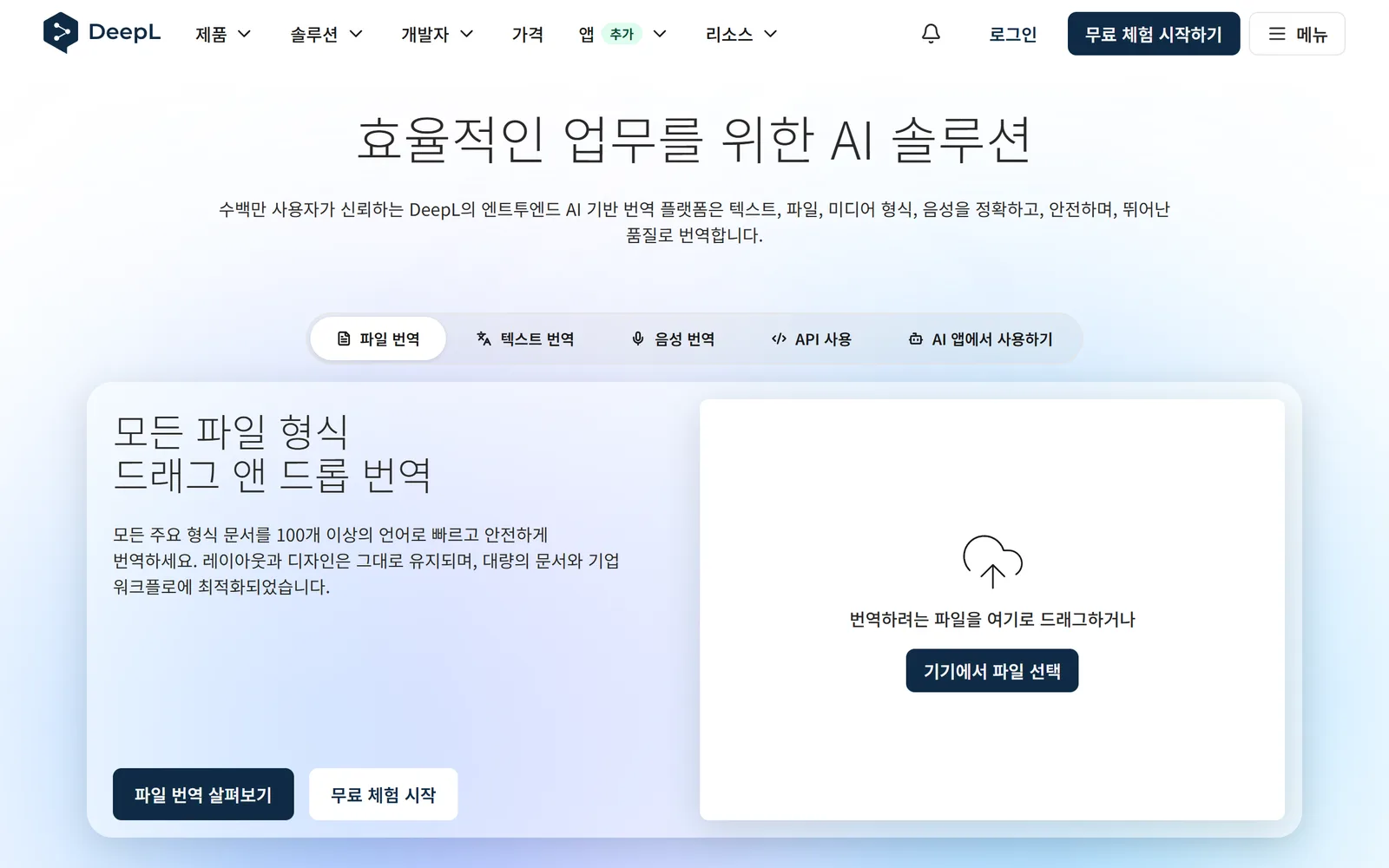
No translation was run
Opening the translator (deepl.com/ko/translator) brought up a window in the middle of the screen reading "Checking that your connection is secure...", with a checkbox to confirm the visitor is human. The screen stayed that way after a 20-second wait, and the checkbox was not clicked. No text went into the translation box, so this post has no translation results.
Behind the window were the tabs "Text translation," "File translation," "Voice translation," "Use the API," and "Use in AI apps," along with the input prompt "Enter the text to translate." On the right were items such as "Glossary" and "Style rules Pro." A note also said to drag in PDF, Word (.docx), or PowerPoint (.pptx) files.
What it costs
These are the prices on the official pricing page as of November 3, 2026. The region was set to South Korea, prices are shown in US dollars, and the page opens with yearly billing selected. It says yearly billing saves 16%.
| Plan | Monthly | Per month, billed yearly | Per year |
|---|---|---|---|
| Free | Free | Free | Free |
| Individual | $10.49 | $8.74 | $104.88 |
| Team | $34.49 | $28.74 | $344.88 |
| Business | $68.99 | $57.49 | $689.88 |
| Enterprise | Custom | Custom | Custom |
Team and Business prices are per user. The Per year column is not on the official page. It is the yearly-billing monthly price multiplied by 12, worked out for this post. Enterprise says only "custom pricing" and has a button to contact sales.
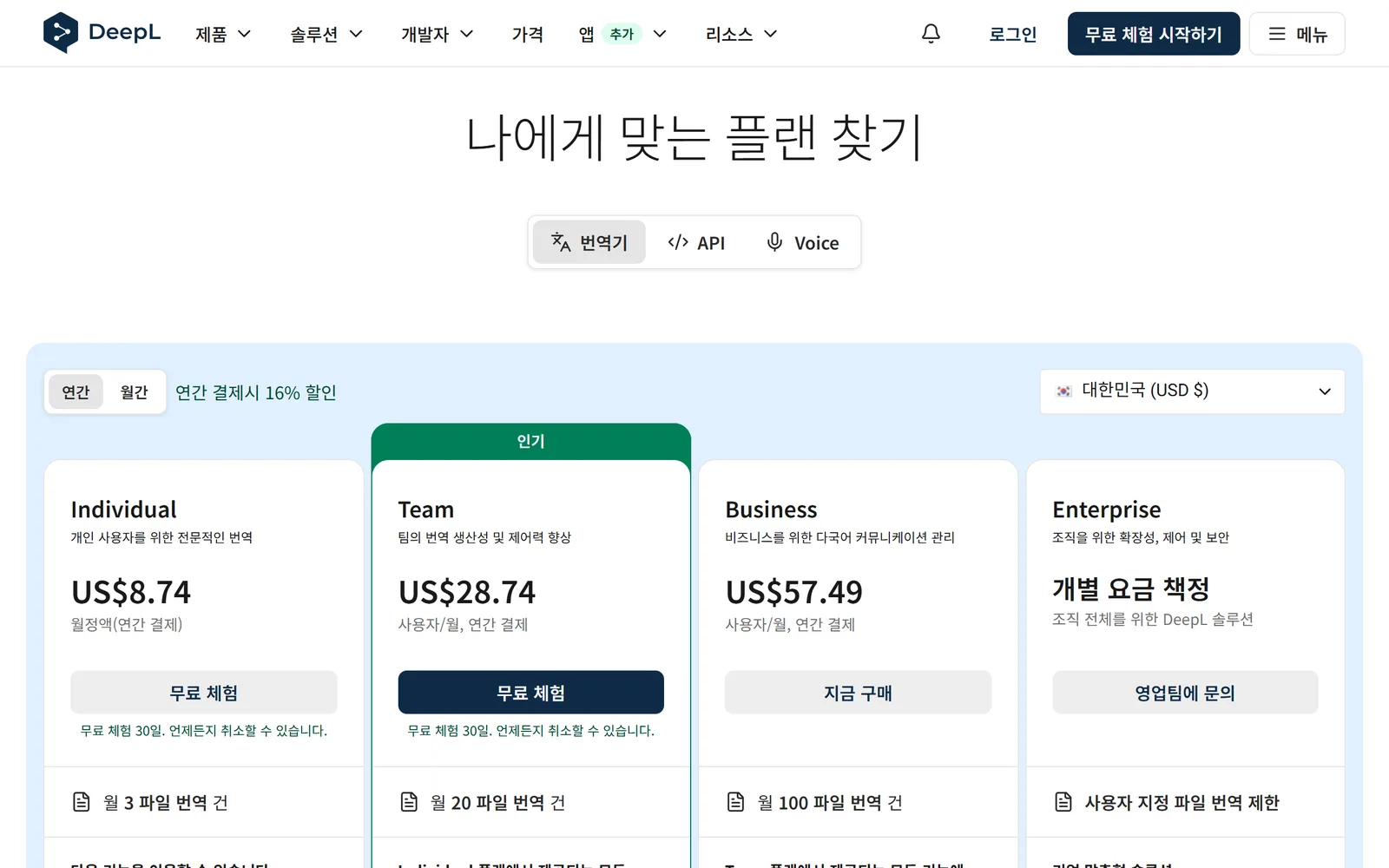
The Individual and Team cards carry a free trial button, a 30-day free trial, and a note that you can cancel anytime. Business says "Buy now" and Enterprise says "Contact sales." Write Pro, an add-on, is priced separately at $7.49 per user per month on yearly billing and $9.49 on monthly billing. The Business card lists Write Pro as included.
The free plan and Individual have different limits
Here are the two columns side by side from the comparison table on the same page.
| Item | Free | Individual |
|---|---|---|
| Characters per month | 50,000 | 300,000 |
| File translations per month | 1 | 3 |
| Max size per file | 5MB | 30MB |
| Glossaries | 1 | 1 |
| Entries per language glossary | 5 | 5 |
Characters go up sixfold, files threefold, and the file size limit sixfold. The glossary rows are identical. The number of glossaries changes at Team, which gets 5 glossaries with 1,000 entries per language. Business has unlimited glossaries.
The Team card says it adds 1,000,000 characters per user per month, 20 files, team management, analytics and reports, and single sign-on (SSO) on top of everything in Individual. Business lists 100 files at up to 100MB each, unlimited characters, and translation memory. A footnote says a fair use policy applies to the "unlimited" items.
Where to stop using free and start paying
For one person, the dividing lines are characters and files. The free plan allows 50,000 characters and 1 file (up to 5MB) a month, and nothing is charged while use stays inside that. Individual is worth a look when files are translated two or three times a month, a file is over 5MB, or the character count starts to pass 50,000. Individual costs $8.74 a month on yearly billing.
Individual and Team both have a 30-day free trial, so it is possible to try them first and see whether the limits get in the way. Team and above add features like team management and SSO. In the comparison table, the team management row says "2 or more users" and the SSO row says "50 or more users."
Getting more out of it
If there is a file to translate, check its size first. The per-file limit is the same 30MB on Individual and Team, and rises to 100MB at Business. If the problem is a large file, moving from Individual to Team won't fix it.
For pasted text, estimate how many characters go through in a month. Team's 1,000,000 characters only matter when months above 300,000 become common.
Glossaries don't increase when moving from free to Individual. The count rises starting at Team, so if glossaries are the reason, skip Individual and look at Team.
Translation quality is not covered here. Put a text you translate regularly through the free plan or the free trial and judge it directly. Paying comes after that, and the choice between monthly and yearly billing is the last step.
Sources (checked November 3, 2026)
- DeepL: home page and product overview
- DeepL translator: tabs and editing tools on the translator screen
- DeepL pricing: translator plan prices, free trial, plan features, comparison table