Descript edits video by editing text: free tier and prices
November 6, 2026
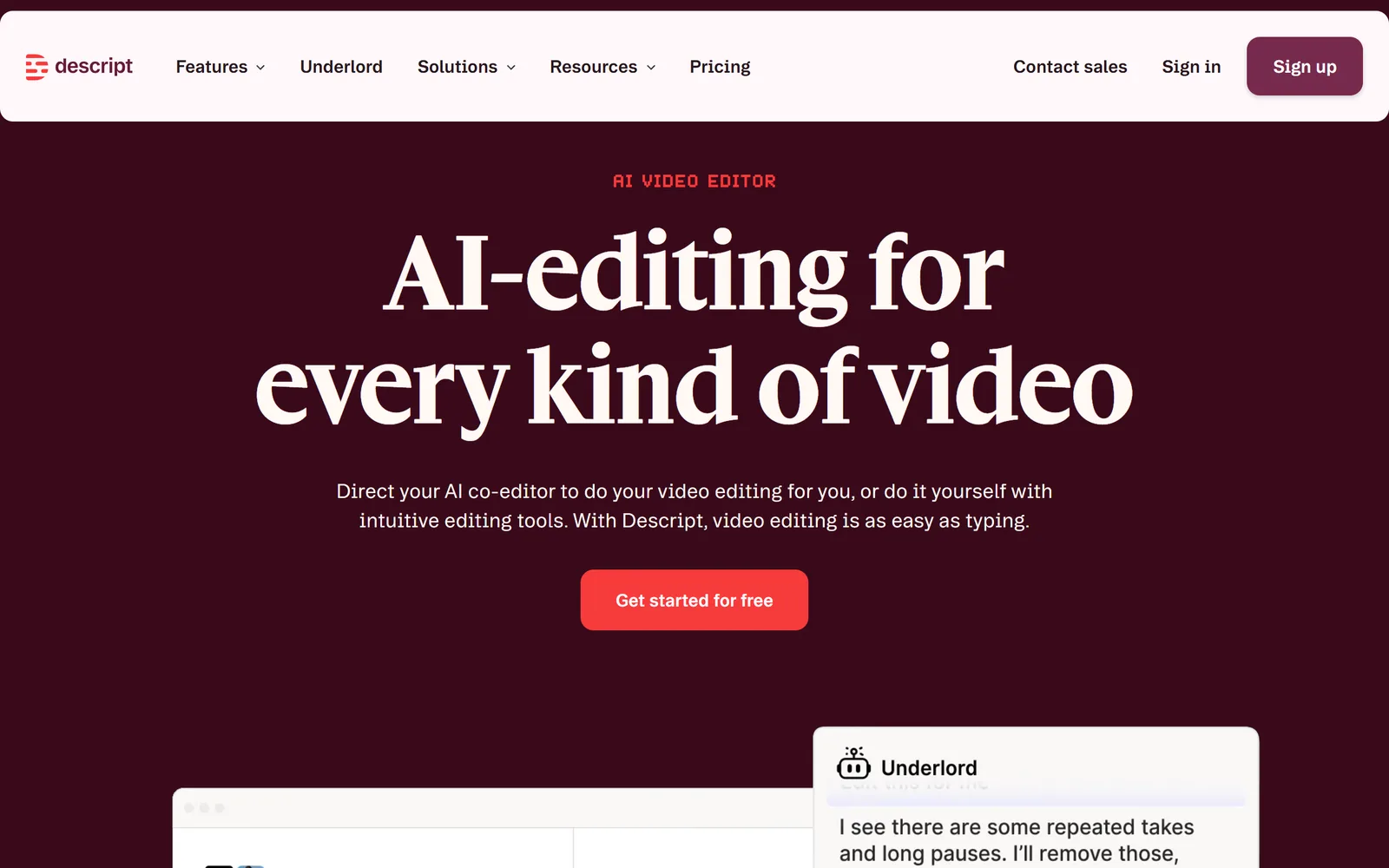
Descript is a service that transcribes the video or audio you upload, then lets you edit the video by editing that text. The home page headline reads "AI-editing for every kind of video," and below it the page offers a choice: hand the edit to an AI co-editor, or do it yourself with the tools. It pitches video editing as being as easy as typing. Record in the app or drag in a file you already have, and a transcript appears. Edit the transcript and the video changes with it. Filler words and retakes are removed with one click, the page says. On its pricing page, Descript says more than 6 million creators and teams use it. All the on-screen text was in English.
What showed up without signing in
The top menu on the home page lists Features, Underlord, Solutions, Resources, Pricing, Contact sales, Sign in, and Sign up. Further down is an example of an "Underlord" window, with the AI saying it will remove repeated takes and long silences. The workflow is laid out in five steps: Record, Edit, Refine, Share, and Multiply.
The app address (web.descript.com) did not open an editor. It went straight to a login screen (web.descript.com/authenticate) with four ways in: continue with Google, single sign-on, continue with email, and use a password. No account was created, and nothing inside the editor was seen. The feature descriptions below come from the text on the official home page and pricing page.
What it does
The first thing the page puts forward is editing through the transcript. Edit the text and the video follows. Alongside that is Underlord, an AI video editor. The home page says a raw recording can become a polished video in minutes, and that you can tell it what you want or ask what it needs.
There are tools for sound and picture as well. Studio Sound is an AI feature that removes background noise and makes a voice clearer, and the page says it runs with one click. In the Refine step, the page lists cleaning up audio, correcting eye contact, fixing lighting, and smoothing jump cuts, each one click.
It covers what comes after the edit, too. A video can be sent as a link so people can leave comments on it. Captions, thumbnails, and YouTube descriptions can be generated. Translating into dozens of languages and reformatting for platforms such as YouTube, TikTok, and LinkedIn sit in the same flow. There's also a way to fill gaps with generated video, voice, music, or images, and the page says the model can be chosen.
What it costs
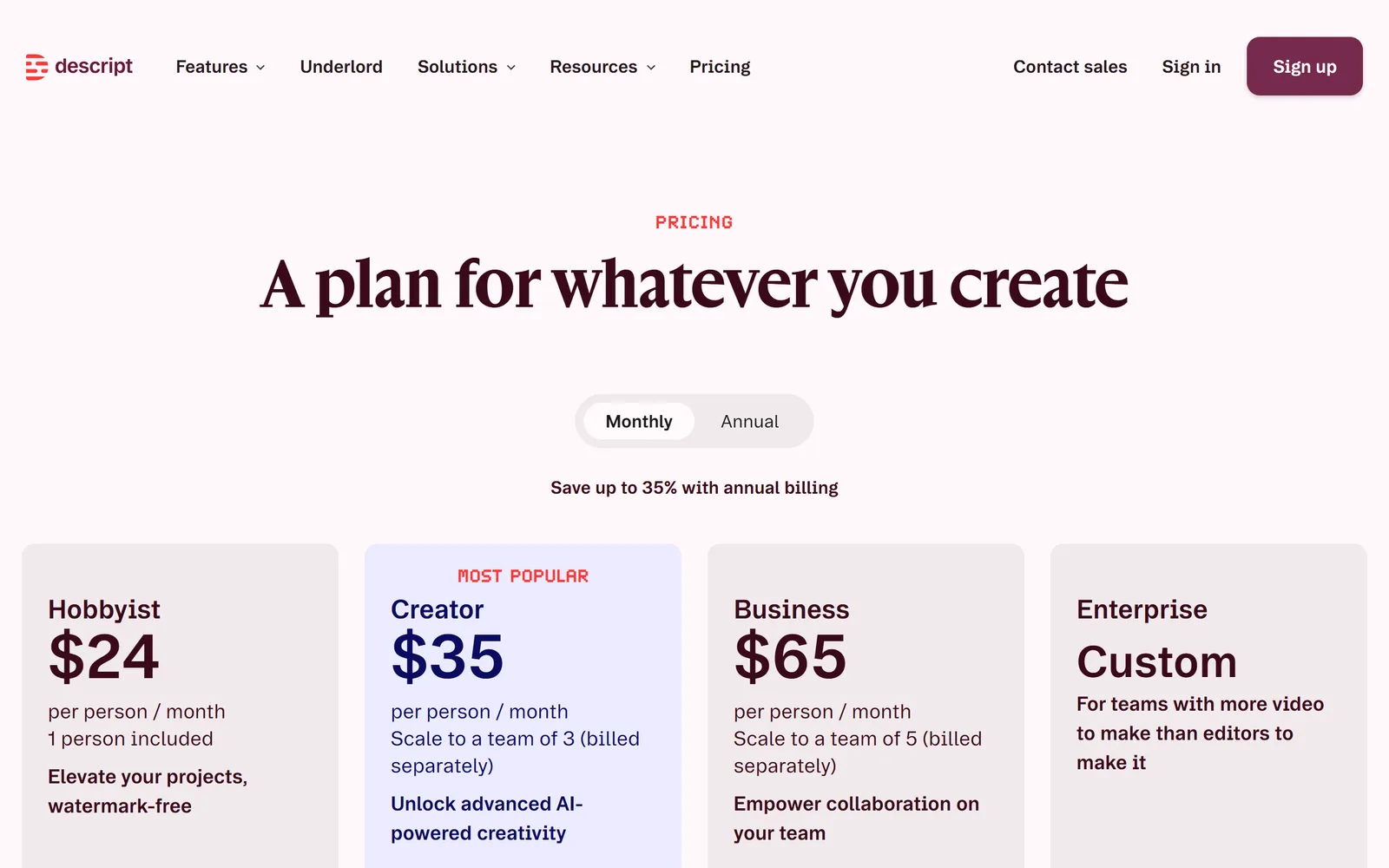
These are the prices on the official pricing page as of November 6, 2026, in US dollars, per person per month. The page opens with "Annual" switched on, along with a note saying yearly billing saves up to 35 percent compared with monthly. The monthly prices only appear after switching to "Monthly." The yearly price is shown only as a per-month figure.
| Plan | Billed monthly | Per month, billed yearly |
|---|---|---|
| Free | $0 | $0 |
| Hobbyist | $24 | $16 |
| Creator | $35 | $24 |
| Business | $65 | $50 |
Creator carries a "MOST POPULAR" tag. Enterprise shows its price as Custom and is described as a plan for teams with a lot of video and not enough editors. SSO, SCIM, and SOC 2 Type II are listed on its card. For people working together, Hobbyist includes 1 seat. Creator can grow to a team of 3 and Business to a team of 5, and both are marked "billed separately."
How the limits differ by plan
Only the rows with the biggest differences are copied here from the comparison table on the pricing page.
| Plan | Media | AI credits | Resolution | Storage |
|---|---|---|---|---|
| Free | 1 hour/month | 100 (one time) | 720p | 5GB |
| Hobbyist | 10 hours/month | 400/month | 1080p | 100GB |
| Creator | 30 hours/month | 800/month | 4k | 1TB |
| Business | 40 hours/month | 1500/month | 4k | 2TB |
Media hours count both uploaded files and files recorded in Descript, whether or not they're transcribed. AI credits are spent on AI features such as Underlord, Studio Sound, Green Screen, Eye Contact, and AI-generated media and avatars. Transcription covers 25 languages on all four plans. The upload file size limit is 1GB on Free, 10GB on Hobbyist, 20GB on Creator, and 50GB on Business, and the AI tools row reads "Limited" in the Free column.
Where to stop using free and start paying
The free plan starts without a credit card, and the page says it includes what's needed to record, edit, and mix audio and video.
Free comes with 1 hour of media a month, 100 AI credits, and exports at 720p. The AI credits don't refill each month. They're given once. One hour a month is enough to see whether transcript editing suits you, and going past that hour, or needing a 1080p export, is the first fork in the road.
Moving to Hobbyist brings 10 hours of media a month, 400 AI credits a month, 1080p exports without a watermark, access to Underlord, and AI tools such as Studio Sound, filler word removal, and clip creation. Exporting in 4k starts at Creator, and generating video with the latest AI models is listed on the Creator card. A brand studio for the whole team and translation and dubbing in 30+ languages are listed on the Business card. Students, educators, and nonprofits have a separate form for applying for a special rate. Cancellation is done on the subscription page, and an account can also be deleted to remove its data.
Getting more out of it
For long spoken recordings such as interviews or podcasts, transcript editing is the thing to try first. Upload, get a transcript, and the page says that deleting a sentence from the text removes it from the video as well. There's a separate one-click feature for filler words and retakes.
For a recording with background noise, Studio Sound is a place to start, removing the noise and clearing up the voice. AI features do use up credits, though, and Free's 100 credits are a one-time amount, so they're worth spending carefully.
When reading the prices, first note that the "Annual" price shown on opening is a per-month figure under yearly billing. Then work out how many hours of media a month are needed, and the choice of plan narrows quickly.
Sources (checked November 6, 2026)
- Descript: home page, feature overview
- Descript pricing: plan prices, comparison table, FAQ
- Descript app: login screen