Gemini without a login: two answers and what it costs
November 17, 2026
Gemini is Google's AI service. You type a question and it answers in text. Google says that once you log in, you can also connect Google apps and make images. The paid plans are sold through Google One as "Google AI plans."
We asked without logging in
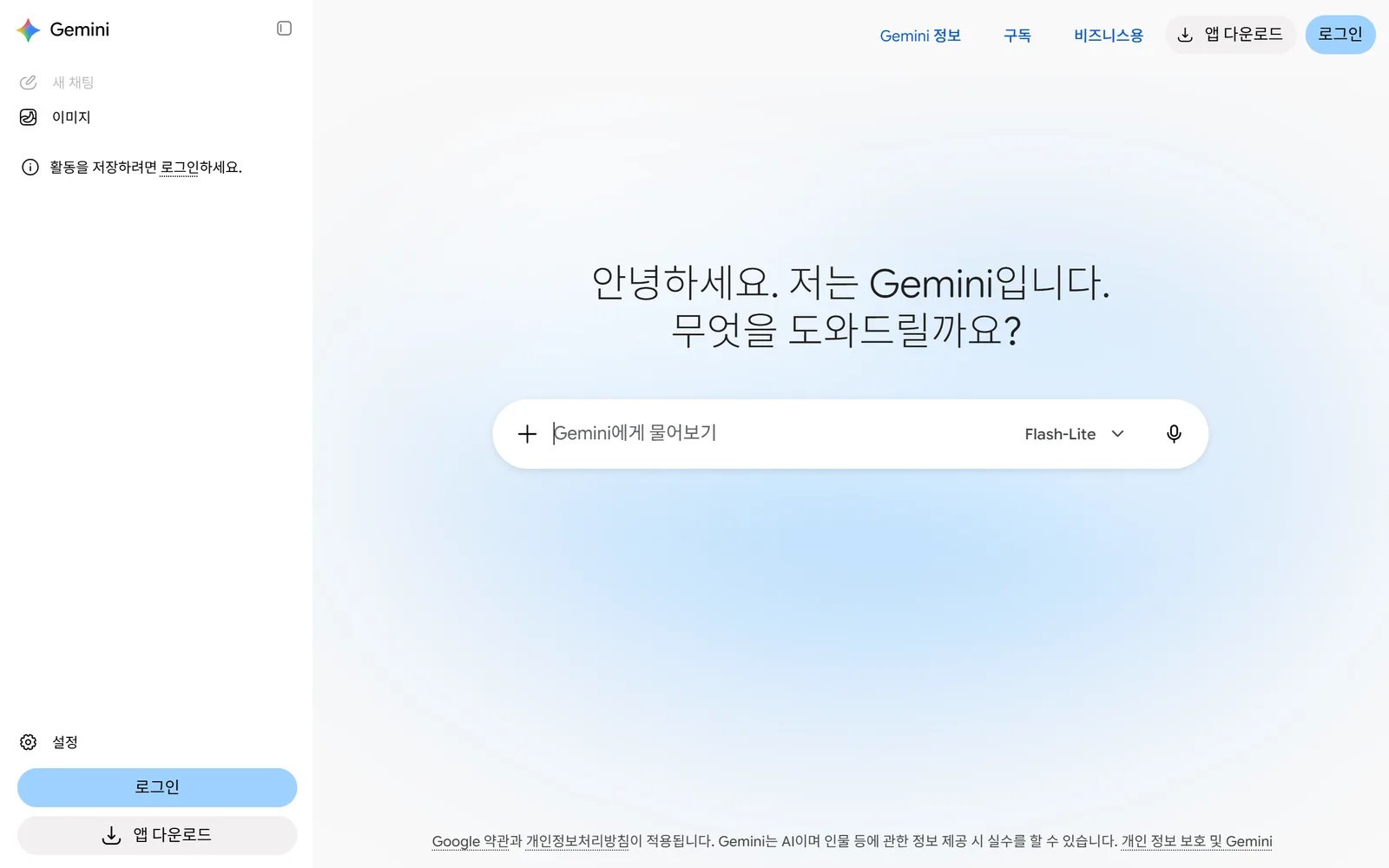
Go to gemini.google.com and the question box opens with no login. In the middle, a greeting reads "Hello, I'm Gemini. How can I help you?" and the box says "Ask Gemini." (This text is translated from the Korean screen, since we used a Korean-language browser.) A model picker inside the box was set to "Flash-Lite," and we left it alone. On the left are "New chat" and "Images," with a note that says "Log in to save your activity." The line at the very bottom says Gemini is an AI and can make mistakes when it gives information about people and other subjects.
We asked in Korean. In English, the question was: "How are Excel and Google Sheets different? Which is easier if I want to keep a household budget by myself?"
The answer's first sentence, translated from the Korean, was: "Excel and Google Sheets are both powerful spreadsheet programs, but there are clear differences in their development background, how they save files, and their collaboration features." Below it was a five-row table: where it runs, saving and backup, collaboration and sharing, data size, and cost, each split into Excel and Google Sheets. The conclusion was that Google Sheets suits you if you want easy entry across phone and computer with no backup worries, and Excel suits you if design, offline features, and very large data matter more. It also mentioned a "Monthly Budget" template that Google provides, and it ended with a question, "Want me to put together the essential items and function structure?", with a "Yes" button.
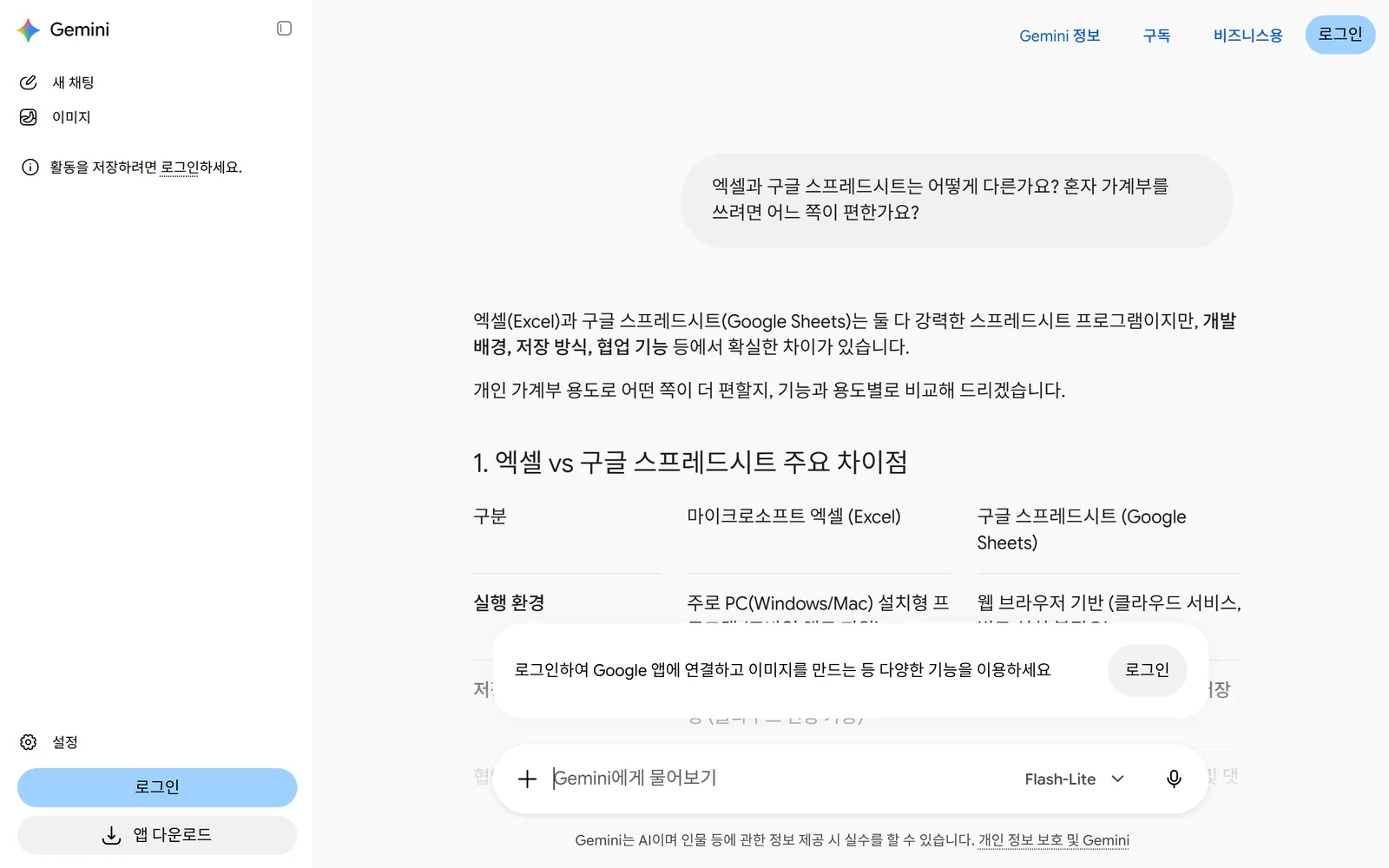
Below the answer, above the input box, a banner appeared: "Log in to connect Google apps, make images, and use more features," with a "Log in" button. The answer had no source links, and the subheadings started with emoji.
We asked the same question twice
We opened a fresh browser and asked the same question again. Both times the conclusion was Google Sheets. The wording and the structure were different. The first sentence, translated, began "... there are decisive differences in 'how they work' and 'the collaboration environment.'" The table had four rows. The "cost" row from the first answer was gone. Instead, the setup row said "paid subscription or purchase" for Excel and "free with just a Google account" for Sheets. For templates, it mentioned "Annual Budget" or "Monthly Budget." It closed by asking which items we wanted to manage: income, fixed costs, variable costs, or savings.
What it costs
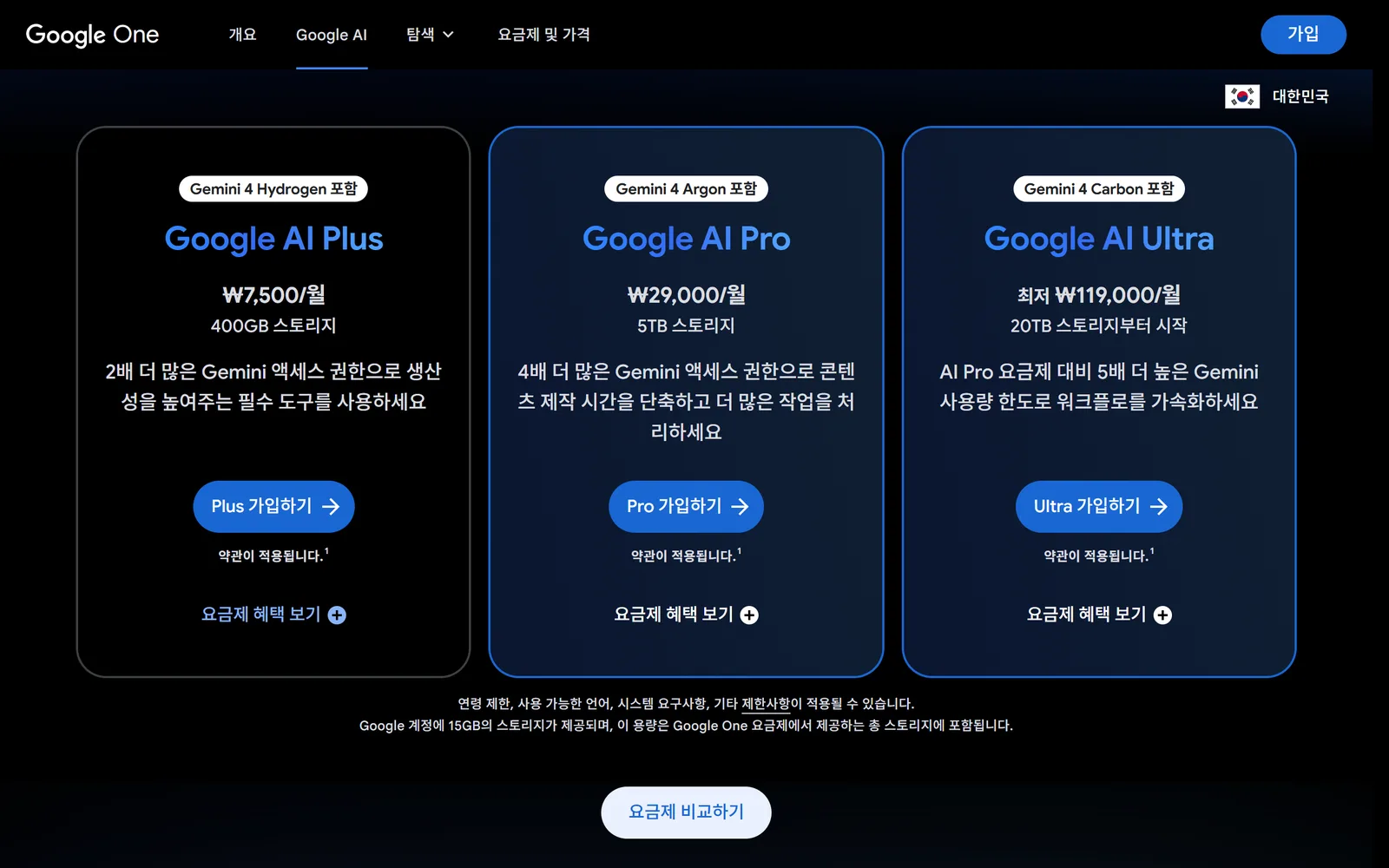
These prices come from the official Google One pricing page for South Korea, as of November 17, 2026, and they're in Korean won. The Free row comes from the Gemini subscription page. The page shows monthly prices only. There's no yearly price on it, and it doesn't say whether tax is included.
| Plan | Per month | Storage |
|---|---|---|
| Free | ₩0 | 15GB |
| Plus | ₩7,500 | 400GB |
| Pro | ₩29,000 | 5TB |
| Ultra 5x | ₩119,000 | 20TB |
| Ultra 20x | ₩300,000 | 30TB |
The cards say Plus includes Gemini 4 Hydrogen, Pro includes Gemini 4 Argon, and Ultra includes Gemini 4 Carbon. In the cards' comparison table, usage limits read "2x (vs. non-AI plans)" for Plus and "4x (vs. non-AI plans)" for Pro, and the Ultra 5x and 20x figures are relative to the Pro plan. In the same table, Plus storage reads "400 GB or 2 TB." The Plus, Pro, and Ultra cards say you can use family sharing with up to five family members, and that you can cancel at any time. (The quotes here are translated from the Korean pricing page.)
The Free column lists the Flash-Lite model, image generation and editing, Deep Research, Gemini Live, Canvas, Skills, Google Flow (limited access to Nano Banana Pro), Gemini Notebook, and 15GB of cloud storage. A footnote on the subscription page says usage limits take into account how complex your prompts are, which features you use, and how long the conversation runs. Until you hit the weekly limit, the limit refreshes every five hours, and buying AI credits raises it further. The page also says the remaining billing period isn't refunded, except where the law requires it.
How far to go before paying
What we did without logging in was two questions, and the most we got was an answer with a table and a conclusion from the free Flash-Lite model. For a comparison like this one, two tools side by side, you could stop there. We didn't try image generation or Deep Research. We only confirmed that the Free column lists them.
If you're weighing a paid plan, go by what's on the pricing cards. The cases are: you need more usage, you need the Gemini 4 models named on the cards, or you need more than the 15GB that comes with a Google account. On storage, the page says the 15GB in your Google account counts toward the total that a Google One plan provides. For students, the page says that with verification you can use Google AI Plus free for a year, or Pro at a steep discount. Google AI plans, and Gemini for Gmail, Docs, and the like, are for ages 18 and up only.
How to use it well
The left side of the first screen says "Log in to save your activity." If there's an answer you want to keep from a session without a login, copy it somewhere.
The answers had no source links, and the same question produced two different tables. Even when the conclusion matches, don't take the details at face value. For anything that needs checking, like cost or features, confirm it on the service's official page.
The first answer ended with a "Yes" button, and we didn't click it. If you have a follow-up, just type it into the input box.
Sources (checked November 17, 2026)
- Gemini: the first screen and the answer screens
- Google One, Google AI plans: Plus, Pro, and Ultra prices, storage, usage limits
- Gemini subscriptions: the Free column, the usage-limit footnote, refund and age notes