Granola without a meeting bot: Korean support and pricing
November 16, 2026
Granola is an AI notepad that turns the short notes you jot down during a meeting into organized notes once the meeting ends. The headline on the official home page reads "The AI notepad for back-to-back meetings," and under it: "Notes, actions and memory. Without a meeting bot." No bot joins the call, and that's the main thing it advertises. It works from your computer's audio, so there's nobody to invite. The page says it works with any meeting app, including Zoom, Google Meet, and Teams.
This was written without trying it
We didn't use Granola for this post. It's a program you download, install, and log in to. The home page has a "Download for free" button, with versions for macOS, Windows, iOS, and Android. Opening notes.granola.ai just sends you back to the home page. The help docs say you start by logging in with Google, Microsoft, or SSO and connecting your calendar. We didn't create an account, so everything below comes from what the official home page, pricing page, and help docs say.
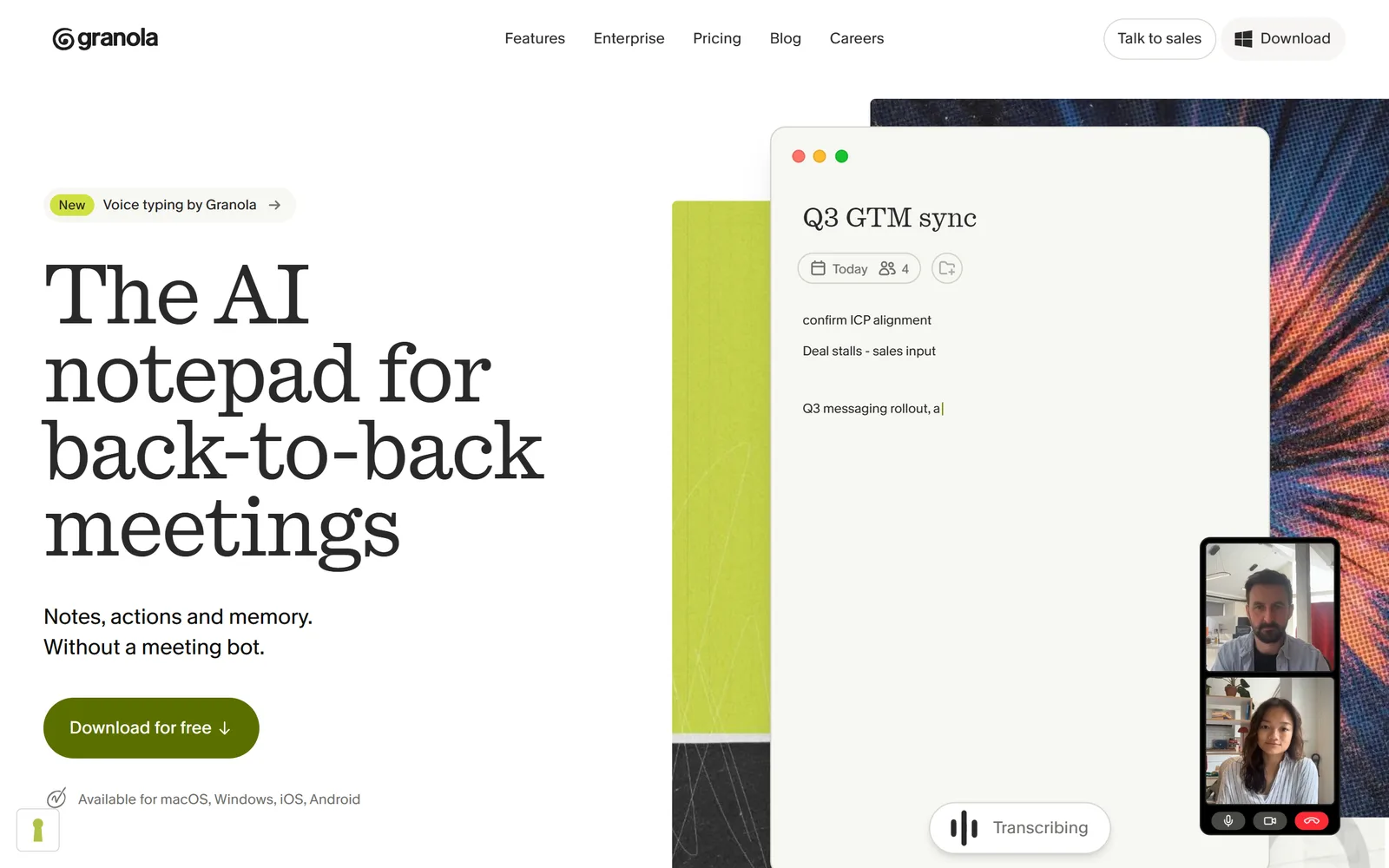
The home page has a demo showing how the product works. We call it the "home page demo" here. A notepad titled "Q3 GTM sync" is being typed into, with "Transcribing" showing below it. The notes are three lines: confirm ICP alignment, sales' view on why deals stall, and the Q3 messaging rollout. The third line is still being typed, so it's cut off. A video call is on the right.
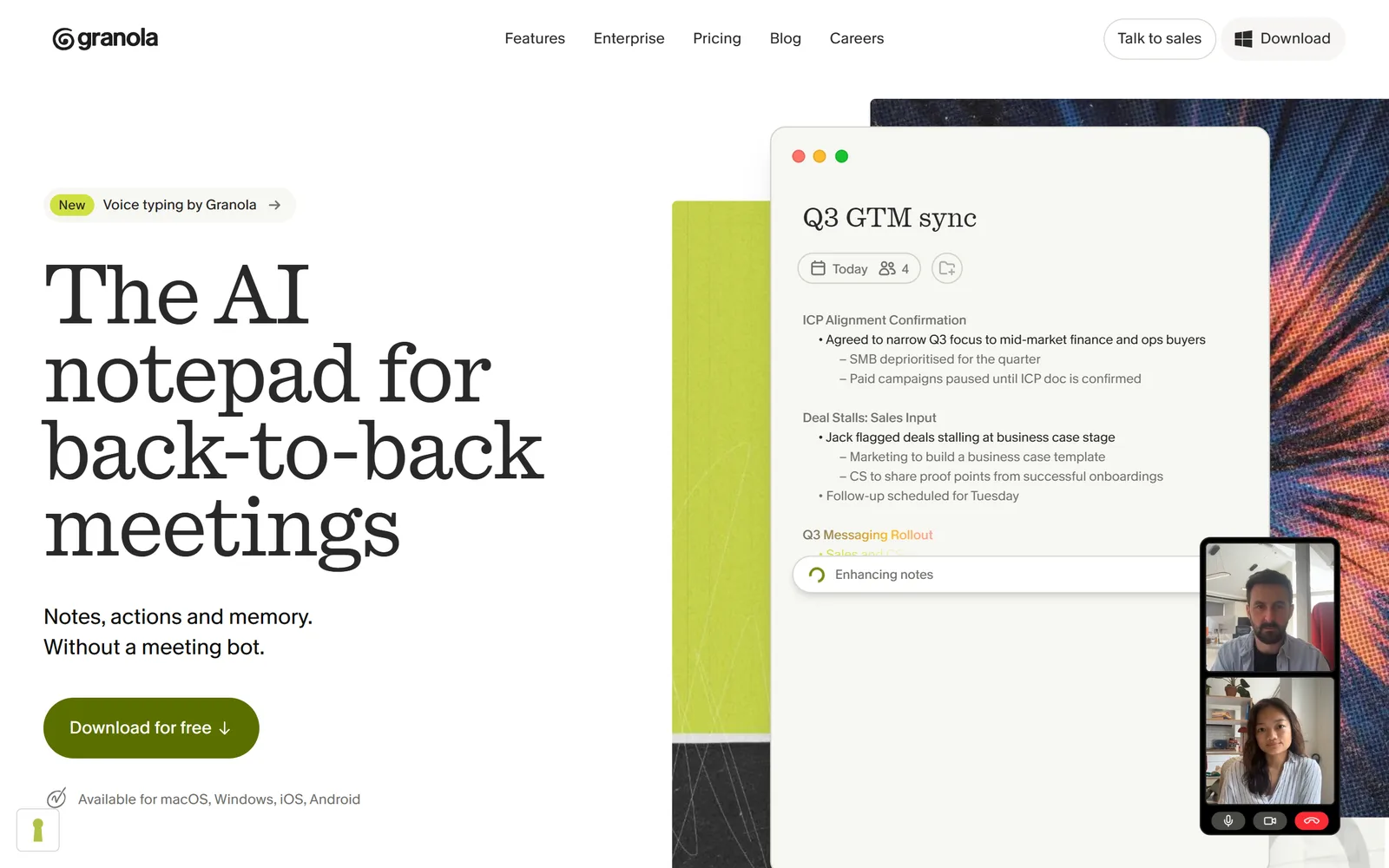
A moment later the same demo shows "Enhancing notes," and the notes turn into a write-up with headings and bullets. The new headings are "ICP Alignment Confirmation," "Deal Stalls: Sales Input," "Q3 Messaging Rollout," and "Next Steps." This is a demo Granola shows, not a result from a meeting of ours.
What it does before, during, and after a meeting
The home page splits the work into three parts: before, during, and after.
- Before: it connects to your calendar and prepares a brief for each meeting with people outside your company. The page says the brief covers who's attending, what you discussed last time, and what matters now.
- During: write a lot of notes or a few. Granola writes your notes up into clear text based on what was said in the meeting. It transcribes in the background without joining the call, so you can stay focused on the meeting.
- After: notes, action items, and follow-ups are ready the moment the meeting ends. Buttons like "List actions," "Write follow-up email," and "Draft project plan" appear as examples.
The page also mentions iPhone and Android apps for taking notes anywhere, including in-person meetings. It also describes an MCP integration, which lets your AI apps see your meeting notes once connected.
Language support
Korean works. The help docs say the desktop apps (macOS, Windows) support 31 languages and the mobile apps (iOS, Android) support 17. The language table has Korean checked on both desktop and mobile. The app itself, though, is English only. The docs say menus, buttons, and settings are currently available in English only.
Transcription and summary languages are set separately. On desktop, the transcription language is a choice between English and Multi-language, and the summary language is a choice between English and Auto. The docs describe Multi-language as transcribing even when several languages are mixed in one meeting, and Auto as summarizing in the language used most. On mobile you pick one language to transcribe in. The docs say there's no live translation during a meeting.
What it costs
These are the prices on the official pricing page as of November 16, 2026. Every price on the cards is per user, per month, in US dollars.
| Plan | Per month | The card's one-line description |
|---|---|---|
| Basic | $0 | Great for a free taste of Granola |
| Business | $14 | Great for individuals or small teams |
| Enterprise | $35 | Great for larger companies |
Yearly billing exists only on Enterprise contracts. Basic and Business are billed monthly, and the pricing page has no monthly/yearly toggle. In the help docs' subscription table, Enterprise is listed as starting at $35. The docs say tax, such as VAT, is calculated from your billing address.
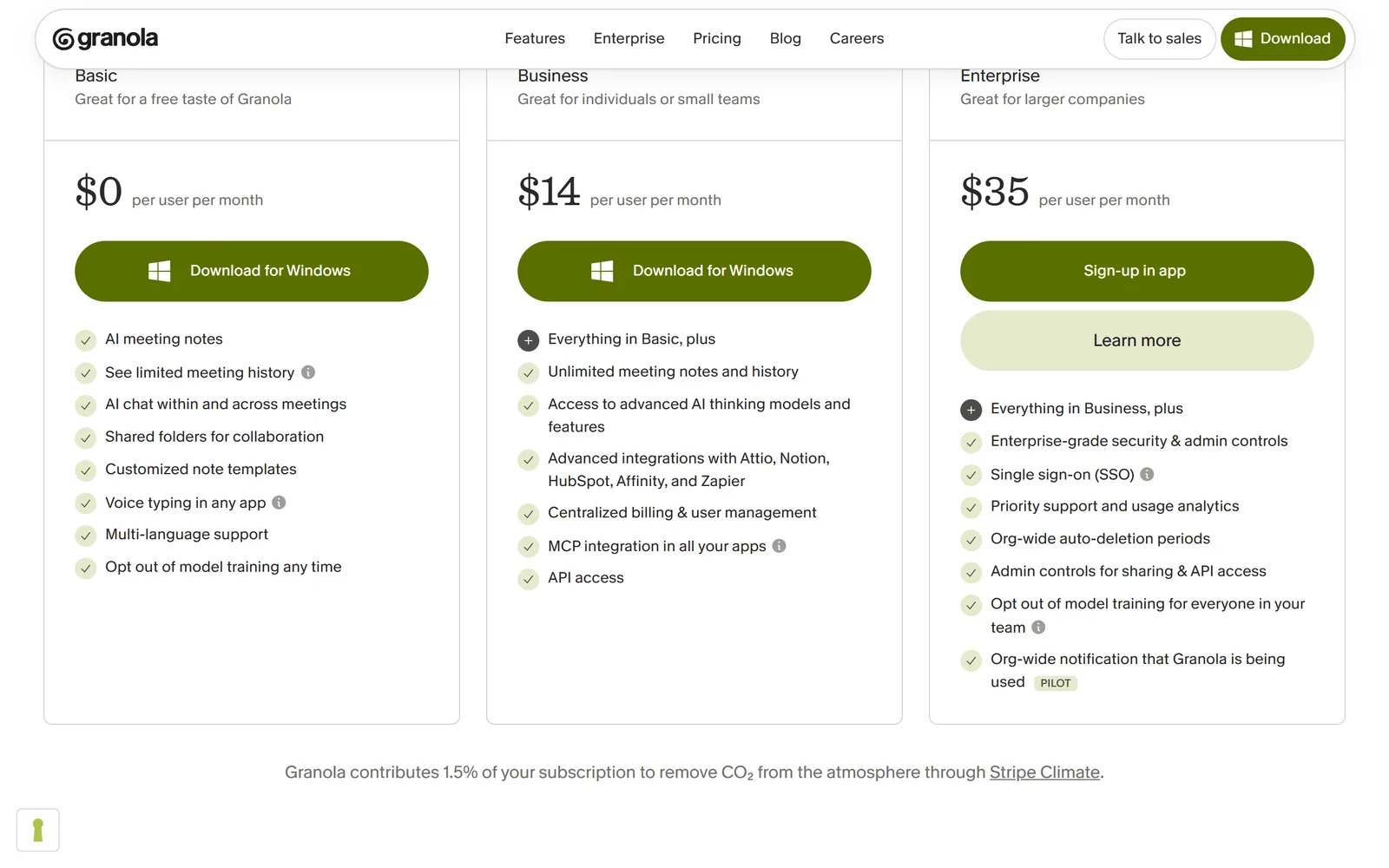
Here's what each plan includes, per the pricing page.
- Basic: AI meeting notes, limited access to your meeting history, AI chat during and between meetings, shared folders, note formatting you can customize, voice input in any app, multi-language support, and the option to opt out of model training at any time.
- Business: everything in Basic, plus unlimited meeting notes and history, advanced AI models and features, integrations with Attio, Notion, HubSpot, Affinity, and Zapier, centralized billing and user management, MCP integration across all your apps, and an API.
- Enterprise: everything in Business, plus enterprise-grade security and admin controls, SSO, priority support and usage analytics, an organization-wide auto-delete period, controls over sharing and API access, a team-wide model training opt-out, and a notice that tells people across your organization Granola is in use (a pilot feature).
The help docs say billing is per workspace. The billing currency is set at your first payment and can't be changed later.
How far to go for free before paying
Free Basic lets you view only 30 days of meeting history in the app. The home page says you can take unlimited notes, but you need to upgrade to view and work with notes older than 30 days. The help docs say no plan has a daily limit on how much you can transcribe. Notes older than 30 days aren't deleted. They're kept, but you can't open them in the app until you upgrade. The docs say that from your profile in settings you can generate a CSV file with titles and summaries to download. The mobile app lets you take notes without a paid subscription.
Basic's AI chat only offers Auto, where Granola picks the model. From Business you choose from a model list, and the help docs say Fable 5.1 (Anthropic) is among the choices on Business. In the comparison table, pre-meeting briefs, follow-up emails, and the API are not in Basic. Slack integration is on all three plans.
The line to watch is 30 days. If you need to reopen meeting notes older than 30 days in the app, Business is the threshold. If you only revisit meetings from the past month, you're within Basic's history window. The Business card says it suits individuals or small teams. The pricing page says SSO is for enterprise workspaces with 50 or more users. The help docs say startups and students can use Business free for 12 months if approved, and registered nonprofits get 50% off Business.
How to use it well
Tell the people in your meeting first. The pricing page recommends always asking permission before transcribing someone else's voice. It says Granola also built a feature that sends an automatic message at the start of a meeting letting everyone know Granola is being used.
Check whether you can turn off model training. Here's the pricing page's answer. Third parties like OpenAI and Anthropic can't train models on your data. Granola itself, though, says it trains on anonymized data. You can turn that off with one click in settings, and on Enterprise it's off from the start.
For Korean meetings, check the transcription language first. If a meeting mixes English and Korean, look at the Multi-language setting, which transcribes several languages within one meeting. If you want the summary in Korean, check the summary language setting separately. Since the app is English only, you'll be looking for settings under their English names.
The help docs say hosting is on AWS in the US region, and the pricing comparison table says audio is deleted after it's transcribed. If you're using it at work, show those two lines to your security team and get their approval.
Sources (checked November 16, 2026)
- Granola home page: intro copy, before/during/after a meeting, the home page demo
- Granola pricing: prices and features by plan, model training, the recommendation to tell people in the meeting
- Granola help docs: subscription and billing, multi-language support, model choice, login