HeyGen makes avatar videos from text: prices and free limits
November 9, 2026
HeyGen is a service that turns text into videos starring an avatar. The home page headline reads "AI videos starring you, made in minutes," and the button says "Get started for free." The pitch is a video of an avatar that looks like you, talking, with no camera and no editing software. The home page says the company has more than 1,000 reviews averaging 4.8 out of 5, and the pricing page says more than 100,000 businesses use it. The on-screen text was in English, apart from a single sign-up button that was in Korean.
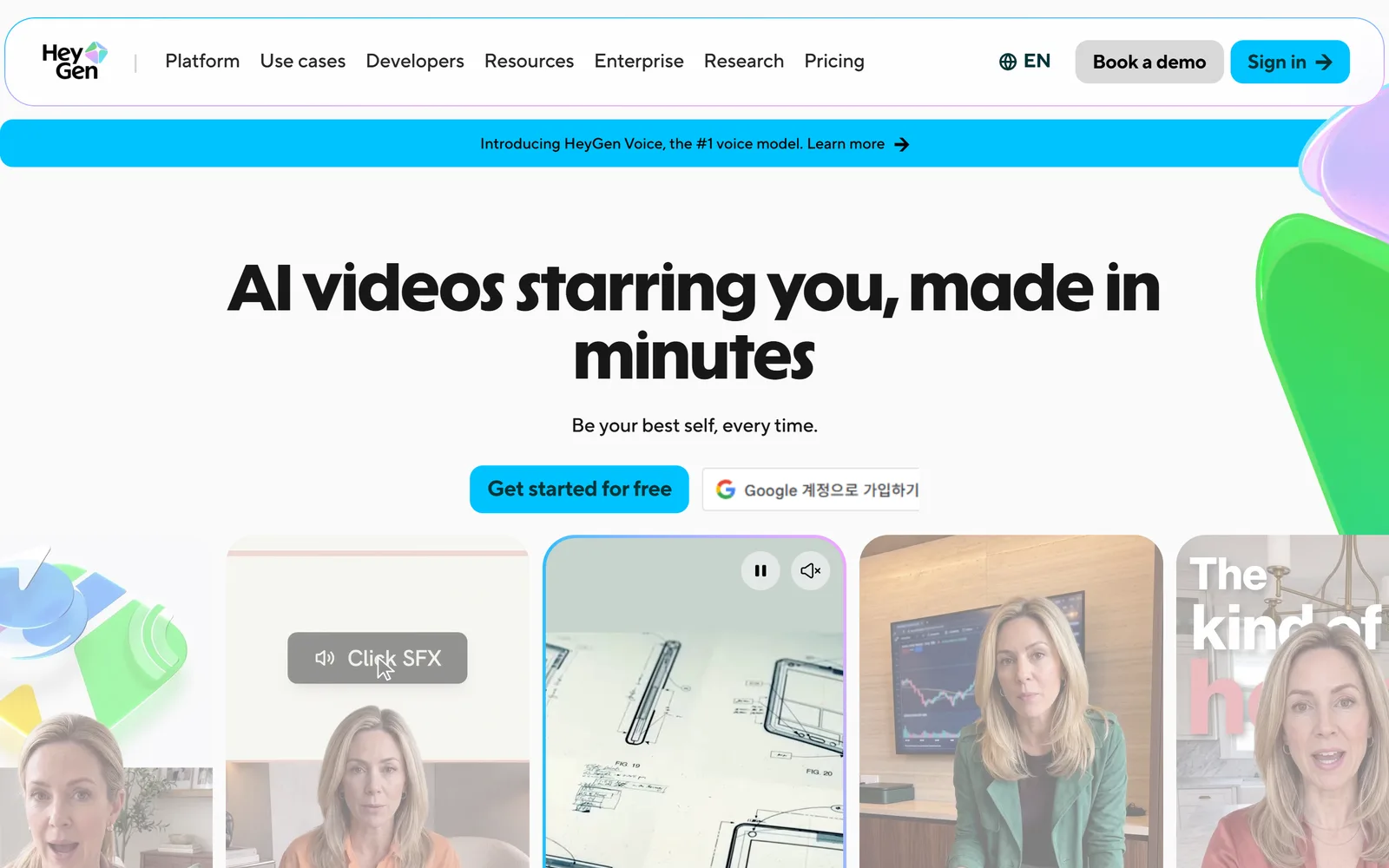
What showed up without signing in
The top menu on the home page lists Platform, Use cases, Developers, Resources, Enterprise, Research, Pricing, Book a demo, and Sign in. The app address (app.heygen.com) went straight to a login screen. The options were sign in with Google, sign in with Apple, email, and SSO, and a check box to confirm you're human was showing. That box was not clicked and no account was created, so no video was made. The feature descriptions below come from the text on the official home page and pricing page.
What it does
The first piece is avatars. Avatar V keeps you looking like the same person in every video from a single recording, and the page says it learns your speech patterns and gestures. Wide, medium, and close-up shots all come from that one recording, it says. Lip sync is matched sound by sound across 175+ supported languages and dialects, according to the page.
The second is Video Agent. Write an idea, press generate, and you get a video ready to share, the page says. Afterward, text, color, timing, and layout can be changed in AI Studio without re-rendering. AI Studio is a text-based editor where you make a video the way you'd write a document, adjusting tone, delivery, gestures, and emotion.
The third is video translation. Upload a file or paste a YouTube link, and the video is translated into 175+ languages with your tone kept and the lips matched, the page says. No reshoot and no manual dubbing are needed. The example languages shown were English, German, Korean, and Spanish.
What it costs
These are the prices on the official pricing page as of November 9, 2026, in US dollars. The page opens on the individual tab with "Monthly" switched on. Clicking "Yearly 2 months free" shows the yearly prices. Business is on the "For Businesses" tab.
| Plan | Monthly | Yearly | Per month, billed yearly |
|---|---|---|---|
| Free | $0 | none | none |
| Creator | $29 | $288 | $24 |
| Pro | $49 | $488 | about $40.7 |
| Business | $149 | $1,428 | $119 |
The last column is the yearly price divided by 12. The Pro card shows it as $41. Enterprise has no listed price and goes through the sales team. Business adds $20 per month for each extra person, and the official FAQ also lists Business at $149 a month plus $20 a month per seat.
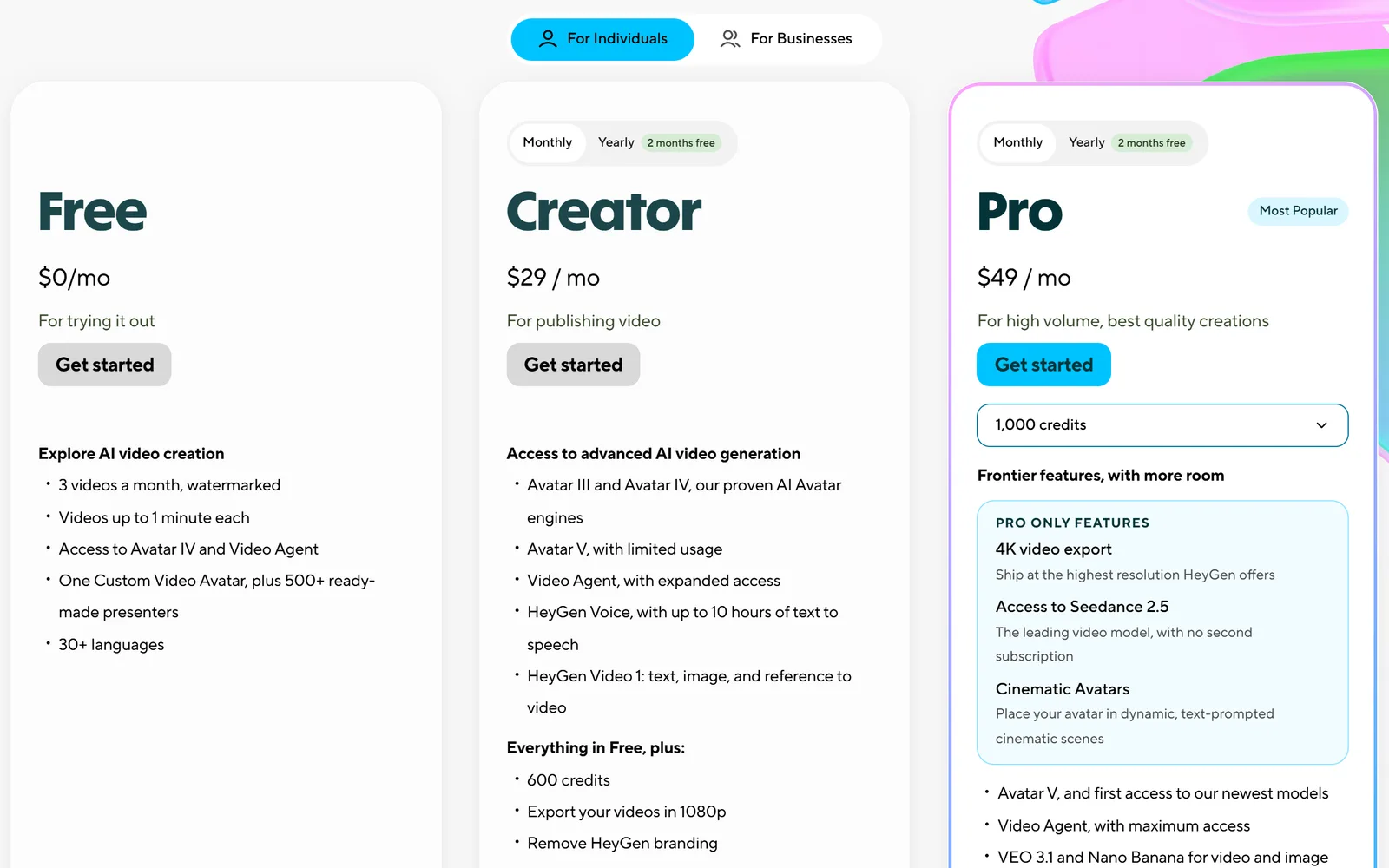
How the limits differ by plan
Free is labeled "For trying it out" and allows 3 videos a month with a watermark. Each video can run up to 1 minute. It includes Avatar IV and Video Agent, one custom avatar of yourself, and 500+ stock avatars, with 30+ languages.
Creator comes with 600 credits and lets you remove the HeyGen logo. It exports in 1080p, lets you build a custom avatar with your own voice and likeness, and covers 175+ languages. Avatar V is included with limited usage, and each video can run up to 30 minutes.
Pro comes with 1,000 credits. 4K export, Seedance 2.5, and Cinematic Avatars are marked as Pro-only. It has the highest Video Agent usage, early access to Avatar V and new models, faster processing, and editable translation scripts. Video length is the same 30 minutes as Creator. Pro starts at $49 and goes up through tiers with more monthly credits, from 1,000 credits at $49 to 100,000 credits at $4,300, according to the FAQ. The features stay the same across tiers, and only the monthly credits change.
Business has 1,500 credits and videos up to 60 minutes, and it builds 5 custom avatars with Avatar V. Team items such as a shared workspace, SSO, and a brand kit are included.
A few rows in the comparison table split differently. Photo avatars are capped at 3 on Free and unlimited on Creator and Pro. Motion and gesture controls are 3 uses a month on Free and 20 a month on Creator. User seats are 1 on all three plans.
The pricing page gives no figure for how many credits one video costs. It says only that the number depends on the AI model used, the video length, and how complex the build is.
Where to stop using free and start paying
The FAQ says Free starts without a credit card. The limits are 3 videos a month, 1 minute each, with a watermark. That's enough to see whether videos made with your own face or a stock avatar are usable. The first fork in the road is wanting to post a video somewhere that can't carry a watermark.
Creator changes four things: no watermark, 1080p, videos up to 30 minutes, and 175+ languages. If you need to publish video and translate it too, this is where it starts. 4K export is marked as Pro-only, so Pro is the one to look at when 4K matters. Video length is the same on Creator and Pro.
The rules for leftover credits are worth knowing too. On monthly billing, unused credits roll over for one more month. On yearly billing, they build up until the yearly renewal date. If you cancel, credits don't carry over. Paid features and remaining credits stay usable until the current billing period ends, and then the account moves to Free.
Getting more out of it
If explainer or how-to videos come up often, writing a script and having an avatar read it is the fit. The Video Agent pitch stresses that no camera or editing software is needed.
If one video has to go out in several languages, the translation feature is a good first try. It needs only a file or a YouTube link, and the page says no reshoot is involved. Free covers 30+ languages and Creator starts at 175+.
When comparing prices, first note that the "Monthly" price shown on opening is the monthly-billing price. Switch to yearly and Creator drops to $24 a month and Pro to about $40.7. The credit cost per video has no published number, so making the 3 free videos first and deciding after is the better route.
Sources (checked November 9, 2026)
- HeyGen: home page, feature overview
- HeyGen pricing: plan prices, comparison table, FAQ