Ideogram prices and how its credits get used up
November 19, 2026
Ideogram is an AI service that makes and edits images from text. Its home page calls its models "The open models for visual intelligence" and leans on three things: following the prompt closely, crisp text inside images, and edits you can trust. Beyond the app, the page also promotes an API (a way for other programs to plug in image generation) and an MCP connection for AI agents.
What we opened without signing up
The ideogram.ai home page opened without logging in. On the cookie banner we chose "Reject all." "Sign in" and "Sign up" at the top both lead to a login screen. The pricing page FAQ says free use requires signing in with a Google, Apple, or Microsoft account to get weekly credits. We didn't create an account, so we never generated an image ourselves.
The "Try Ideogram" link under the community gallery on the home page stopped at a security check, and we didn't tick the box. Typing the pricing page address directly brought up the same check. Clicking the "Pricing" link from the home page worked.
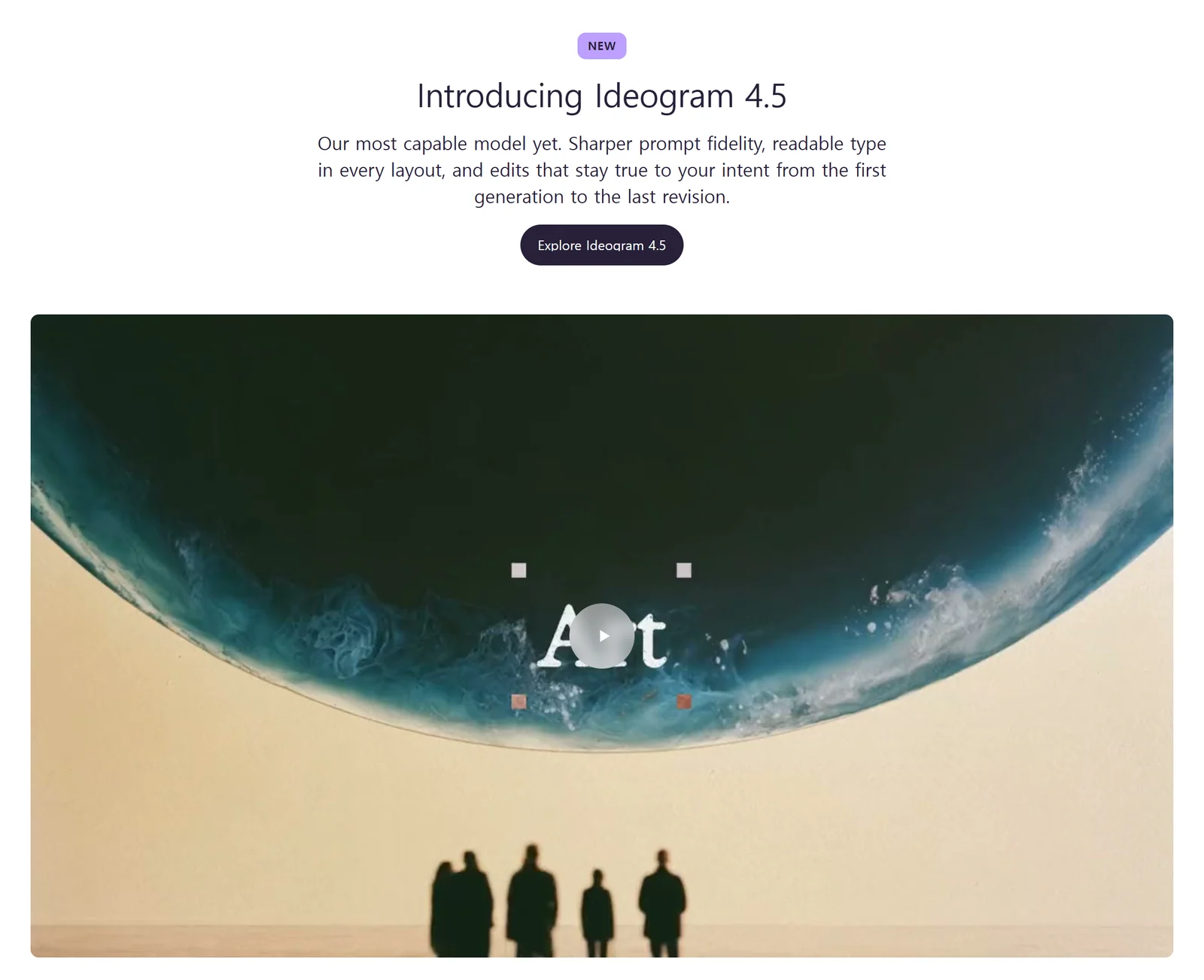
The home page has an "Introducing Ideogram 4.5" section. It calls 4.5 the company's most capable model yet and comes with an "Explore Ideogram 4.5" button.
What it costs
These prices are from the official pricing page as of November 19, 2026. They're in U.S. dollars, and the page says they exclude tax.
| Plan | Monthly | Yearly | Per month, billed yearly |
|---|---|---|---|
| Plus | $20 | $180 | $15 |
| Pro | $60 | $504 | $42 |
| Team | $30 | $240 | $20 |
Team prices are all per user. The last column is the yearly price divided by 12, and it matches the big number on each plan card when yearly billing is on. Free works like this: eligible accounts get weekly credits after signing in, and the page says the amount may vary. Pay as you go costs 1¢ per credit. Enterprise has no listed price, and you contact sales.
The pricing cards load with yearly billing already switched on, so the monthly price shows up crossed out. A line at the top reads "Up to 33% off."
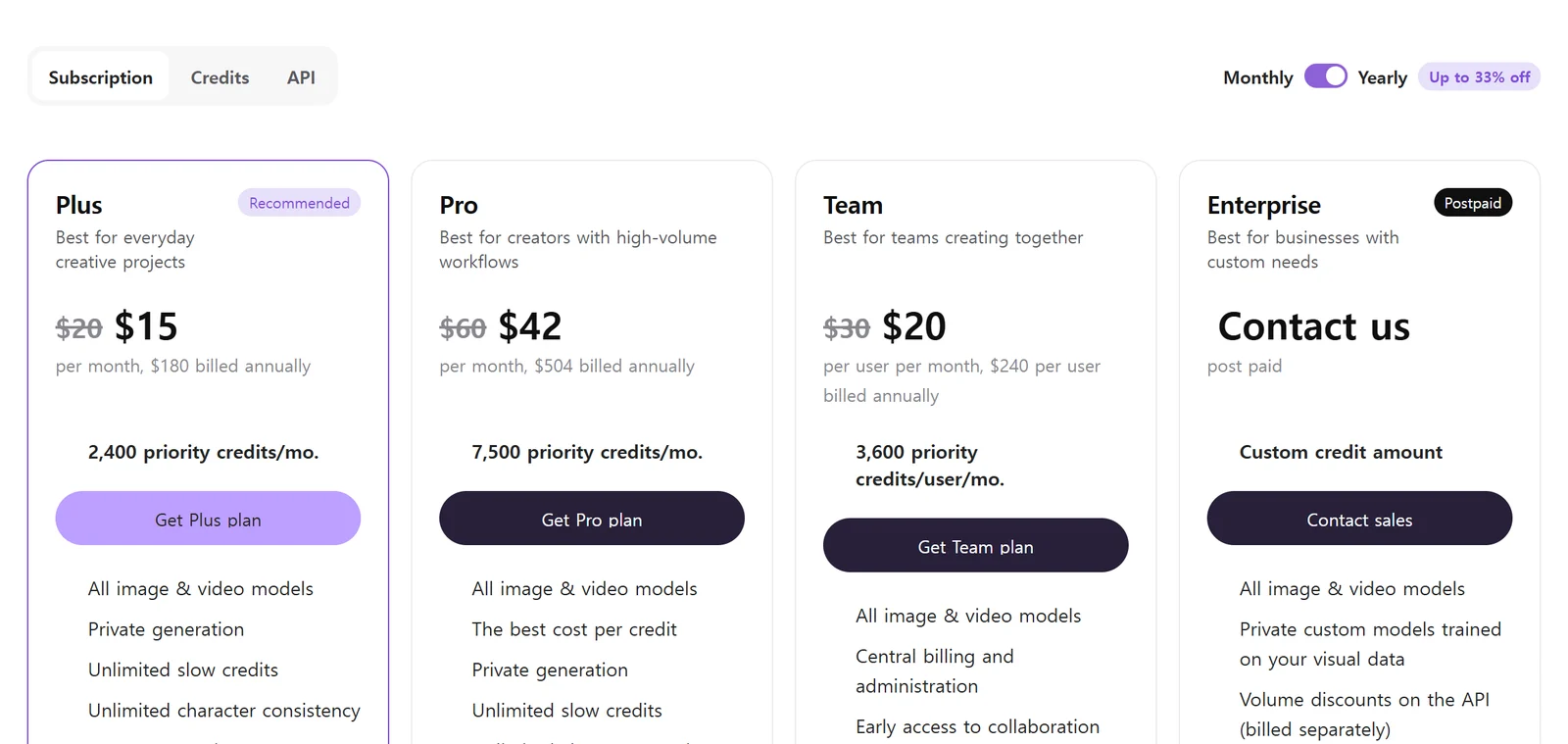
Each month you get priority credits (the ones that generate images instantly): 2,400 on Plus, 7,500 on Pro, and 3,600 per user on Team. Slow credits, used in the slow queue (where your job waits its turn), are unlimited on all three plans. The number of generations you can run or queue at once is 8 on Plus and 32 on Pro, and the Pay as you go column lists 1. Pro adds Batch Generation for making many images at once, and Plus and Pro both include private generation and Quality export.
How credits get used up
The pricing page says each generation uses a different number of credits depending on the Model and Rendering settings you choose. Rendering is the setting where you pick a level: Low, Medium, or High on 4.5, and Turbo, Balanced, or Quality on 4.0. Here are the first two models in the table, 4.5 and 4.0.
| Model | Rendering | Credits |
|---|---|---|
| 4.5 | Low | 3 |
| 4.5 | Medium | 6 |
| 4.5 | High | 10 |
| 4.0 (2K) | Turbo | 3 |
| 4.0 (2K) | Balanced | 6 |
| 4.0 (2K) | Quality | 10 |
All of these are per image. On 4.5, High with source images costs 22 credits per image, and Very Low with source images costs 0.8 credits per image. The older models 3.0, 2a, 2.0, and 1.0 are listed per batch of 4 images, at 8 to 48 credits. Upscale 1.0 costs 6 credits per image and only works on paid plans.
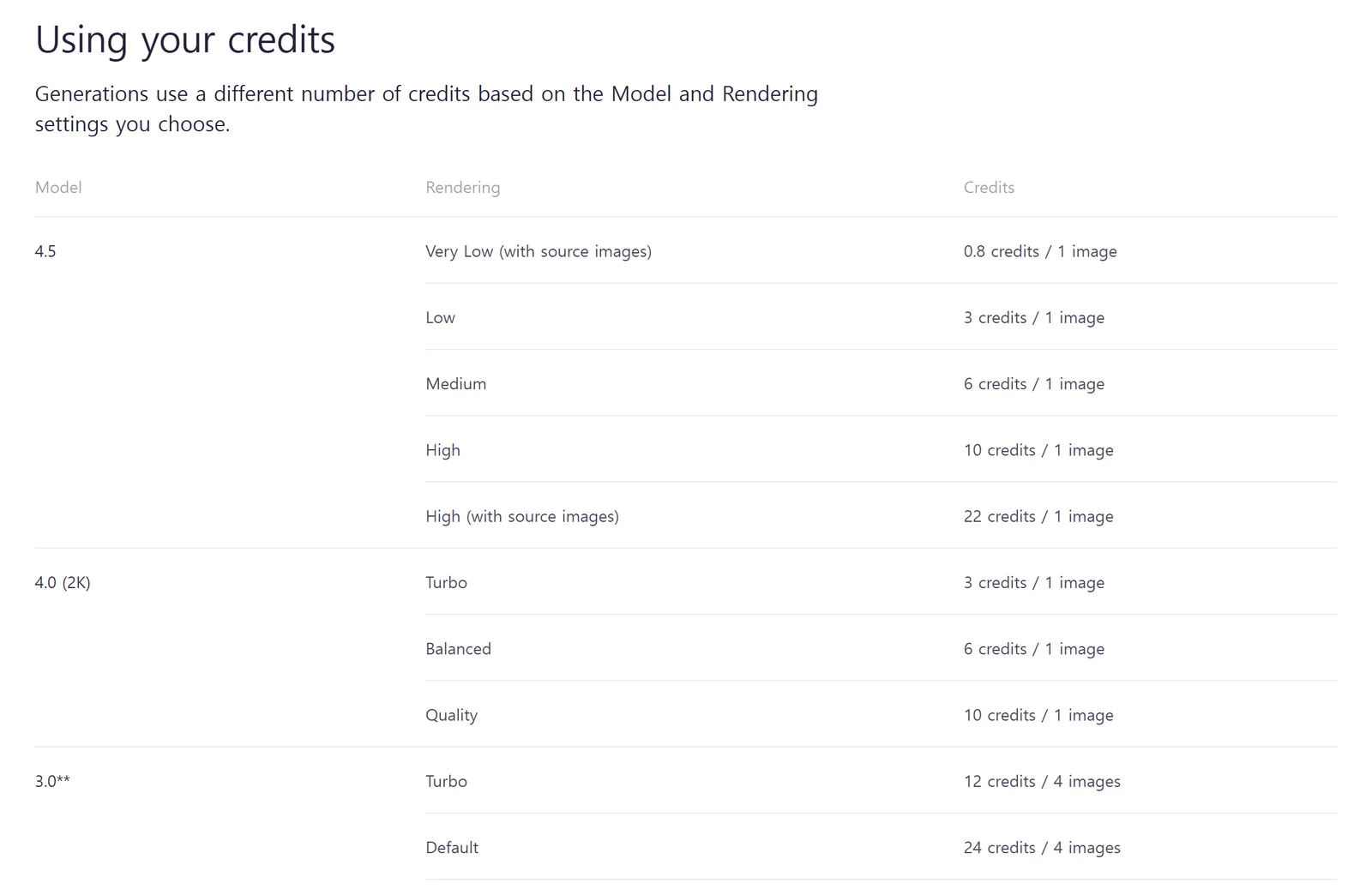
At the Pay as you go rate of 1¢ per credit, one 4.5 High image works out to 10 cents. The pricing page says subscriptions and Pay as you go credits are separate purchases.
When priority credits run out
Once your priority credits are gone, you generate in the slow queue, where the page says wait times vary with server capacity and usage. AI-powered editing features, Editing with AI and Image Reference, still need priority credits. They aren't available in the slow queue.
The page lists three ways forward: upgrade to a higher plan, buy top-up credits without changing your plan, or wait for your priority credits to reset in the next billing cycle.
Unused subscription credits expire at the end of each billing cycle and don't roll over. Top-up credits are only used after your subscription credits run out, and unused ones carry over to the next period.
Are the images public, and can you use them commercially?
On the free plan, images you generate are public. On Plus, Pro, Team, and Enterprise, new images stay private until you publish them, and you can unpublish ones you published before. Deleting images is available to Plus and Pro subscribers.
According to the page's FAQ, Ideogram doesn't claim ownership of your generated images, and you can use them for any purpose, including commercial use. It points you to its Terms of Service for details. Running the model weights on your own servers is licensed separately.
How far to go before paying
Free starts you off with weekly credits once you sign in, and the trade-off is that your images are public. If you're just trying it out and don't mind that, start here. The page says there are no free trials for subscription plans.
Plus adds private generation and 2,400 priority credits a month, which the AI editing features need. If you want to tidy images before anyone sees them, or you use editing often, that's when paying is worth weighing. If most months you barely touch your priority credits, compare that with buying top-up credits only in the months you run out. Pro has the best cost per credit, according to its card, and it's built for people who need batch generation and the largest queue.
How to use it well
The same scene can cost anywhere from 3 to 10 credits per image depending on the rendering setting. Run a low setting while you're tuning the prompt, then switch to a high one once the wording is settled, and you'll spend fewer credits.
Yearly billing brings the monthly price down, but leftover subscription credits don't carry over. Check whether you actually use up your credits each month before choosing yearly.
Images made on the free plan are public, so leave out personal photos and anything you aren't ready to share.
Prices are in dollars and exclude tax, so check the final amount on the checkout screen.
Sources (checked November 19, 2026)
- Ideogram: the first screen, the model introduction, FAQ
- Ideogram pricing: prices and credits by plan, the credit usage table, the comparison table, FAQ