Lovable prices and how its credits get used up
November 20, 2026
Lovable is an AI service that builds a web app from a written description. Its official docs call it a "full-stack AI development platform." You describe what you want, and it produces an app with screens, server-side features, a database, login, and connections to other services, all kept as code you can edit. One project is one app, and you can link the code to GitHub, GitLab, or Bitbucket.
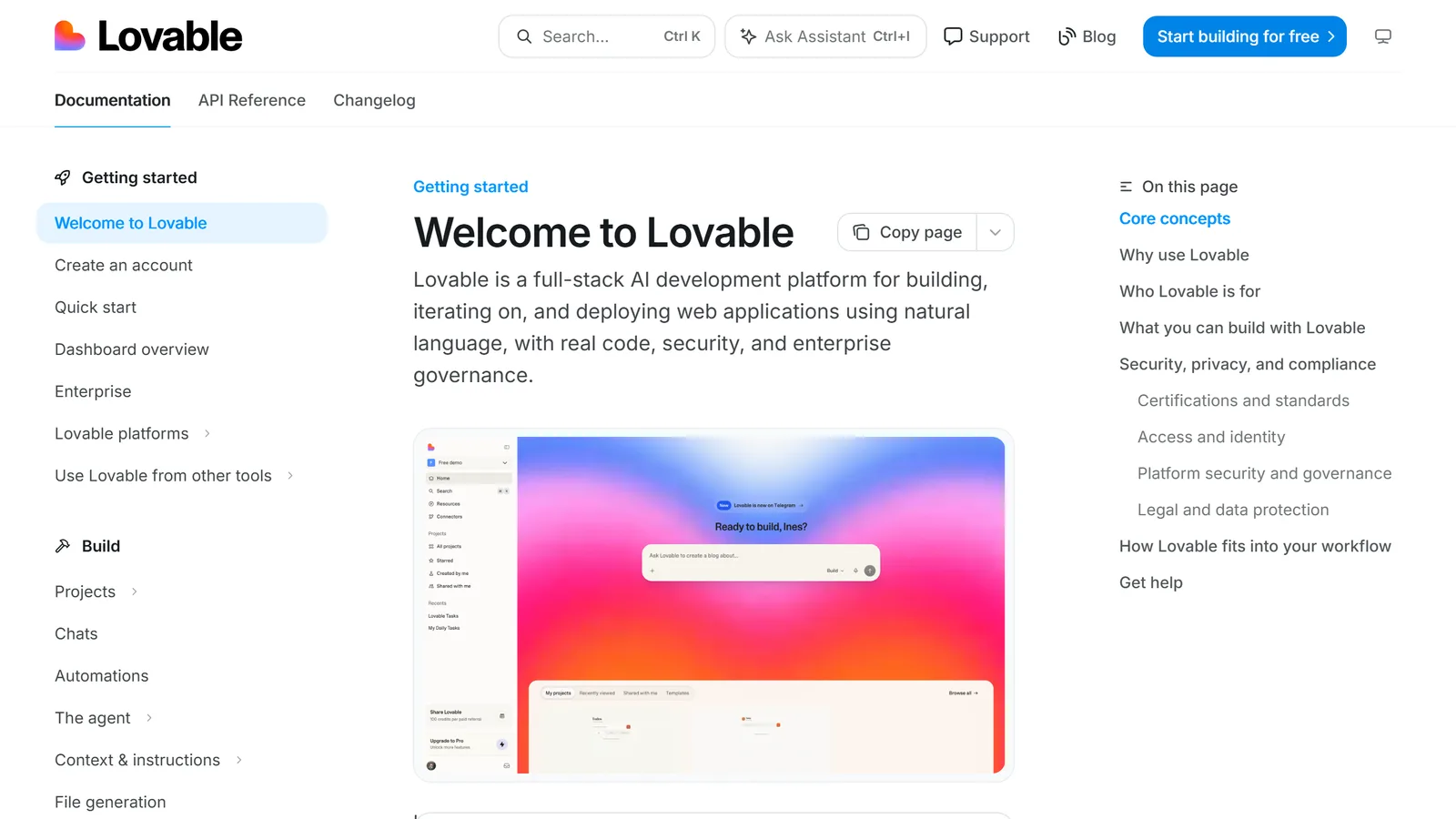
The way it charges stands out. The docs say pricing is set by credits, not by the number of projects or people.
What we opened without signing up
The lovable.dev home page was a security check that day. A checkbox asked us to confirm we were human, and we didn't tick it. According to the docs, a free account can be created with email, Google, GitHub, or Apple. We didn't create one, so we never built an app ourselves.
What we did open was the pricing page, in its Korean version, and the official docs. On the pricing page's cookie banner we chose to reject all cookies. Everything below comes from those two places. We didn't verify any of it by using the service.
What it costs
These prices are from the official pricing page as of November 20, 2026. They're in U.S. dollars.
| Plan | Monthly | Yearly | Per month, billed yearly |
|---|---|---|---|
| Free | $0 | $0 | $0 |
| Pro (100 credits) | $25 | $250 | $21 |
| Business (100 credits) | $50 | $500 | $42 |
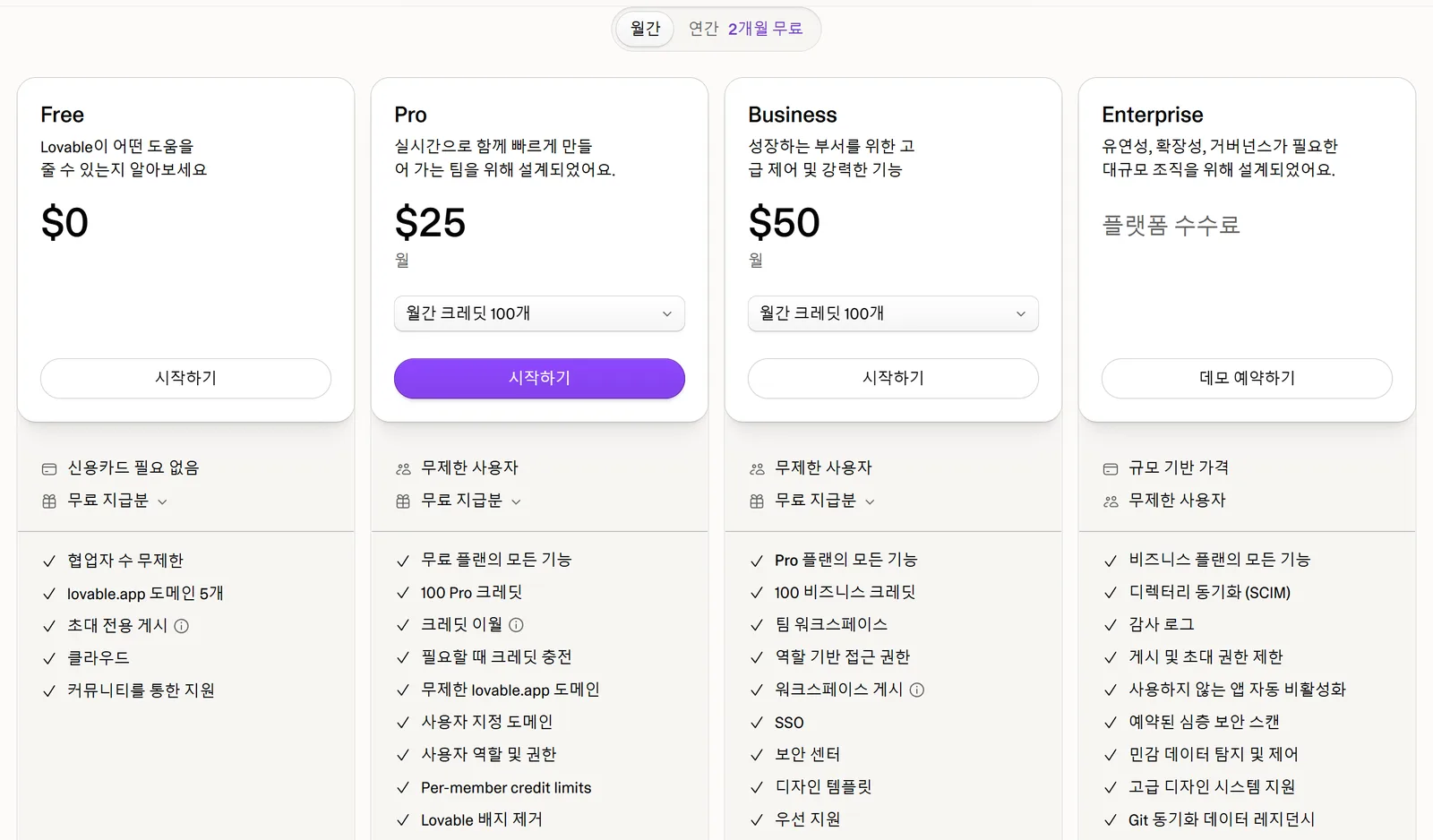
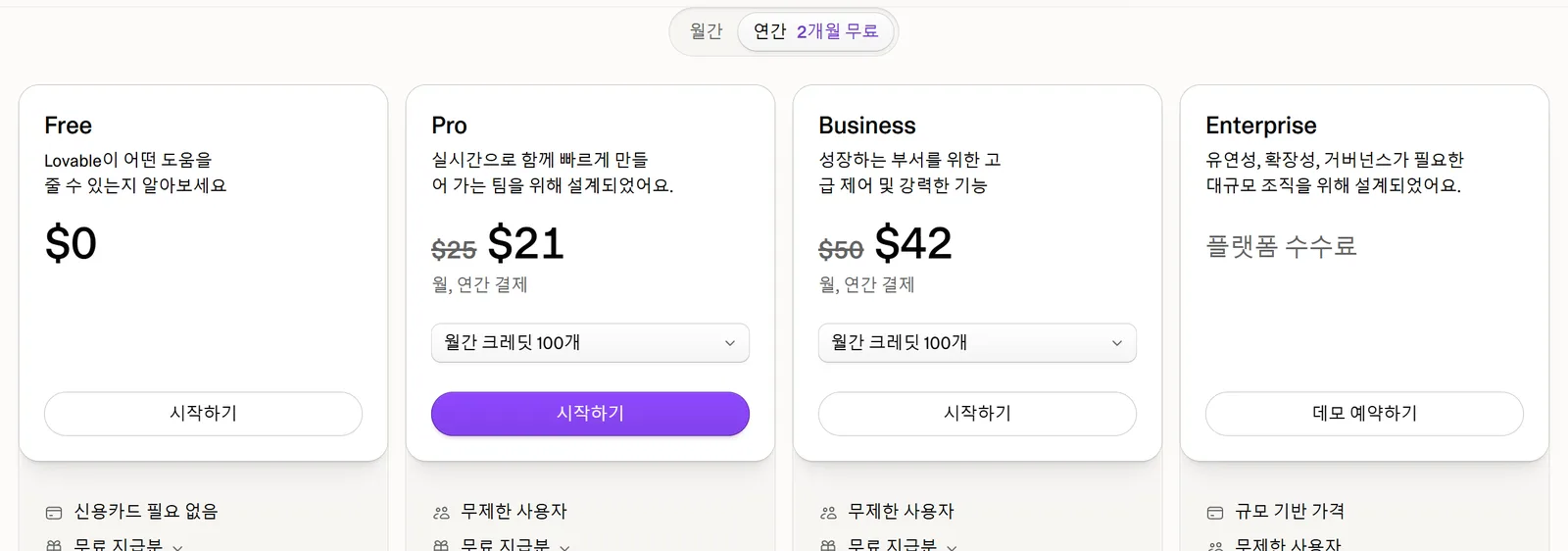
The yearly column is the annual charge from the docs, and the last column is the big number printed on each plan card. The docs say paying yearly gets you two months free compared with paying monthly. Even on yearly billing, credits don't arrive all at once. They're issued monthly. The Enterprise card has no price, only a line saying pricing is based on scale, and its button is for booking a demo. Students get up to 50% off Pro once verified, according to the card.
The pricing cards load with monthly billing switched on. The Pro and Business cards each have a dropdown for picking how many credits you want.
Click "Yearly" at the top, and Pro's $25 gets a line through it while $21 appears large. Business's $50 is crossed out and $42 appears large.
Pick more credits and the price goes up. These are a few steps from the Pro price list in the docs.
| Pro credits | Monthly | Per month, billed yearly |
|---|---|---|
| 100 | $25 | $21 |
| 200 | $50 | $42 |
| 400 | $100 | $84 |
| 800 | $200 | $167 |
| 10,000 | $2,250 | $1,875 |
Business costs more at the same credit level: $50 a month for 100 credits, $200 for 400, and $4,300 for 10,000.
Here is what each plan includes, as listed on the cards. Free needs no credit card, allows unlimited collaborators, and comes with 5 lovable.app domains and invite-only publishing. Pro adds credit rollover, credit top-ups, unlimited lovable.app domains, custom domains, user roles and permissions, and removal of the Lovable badge. Business includes everything in Pro, plus team workspaces, role-based access, SSO, a security center, and priority support.
How credits get used up
The docs describe two modes. In Plan mode, which only makes a plan, each message costs 1 credit plus the cost of any subagent research it runs while planning. In Build mode, which actually builds, the cost depends on how complex the request is and what work gets done.
Here are the docs' examples. They're illustrative, and the actual number varies by request.
| Request | Credits |
|---|---|
| Make a button gray | 0.50 |
| Remove the footer | 0.90 |
| Add authentication | 1.20 |
| Landing page with images | 2.00 |
Open the "More options" menu under a reply and the "Credits used" row shows what that reply cost. If you stop a request before the project has changed, you aren't charged. If you stop it partway, you pay for the work done so far. In Build mode, once a single message passes 20 credits (the default), it pauses and asks whether to continue or finish up. The docs mark this feature as beta. Running a published app and the AI features inside it also use credits.
What comes in for free
| Free | Pro | Business | |
|---|---|---|---|
| Daily build credits | 5 | 5 | 5 |
| Monthly Cloud grant | 20 | 20 | 20 |
| Monthly AI grant | 4 | 4 | 4 |
Daily build credits refill at 00:00 UTC every day and can't be saved up. On Free you can receive 30 a month at most. At 5 a day, you hit 30 in the first 6 days, and then no daily credits arrive until 00:00 UTC on the 1st of the next month. A daily chat allowance exists on Free too, and Pro and Business get more than Free does. The docs call the monthly Cloud and AI grants "a temporary offering and subject to change."
Rollover, expiry, and top-ups
Unused monthly credits roll over as long as your subscription stays active. On monthly billing they expire 2 months after they were issued. On yearly billing they expire 1 month after the annual billing period ends.
If you run short, Pro and Business can buy top-ups. On Pro it's 50 credits for $15 ($0.30 each), and on Business it's 50 credits for $30 ($0.60 each). They're valid for 12 months from purchase, and automatic top-ups are available.
When credits run out, building stops, and that isn't all. According to the docs, the AI features in your published apps stop too, and apps that use the built-in backend (Cloud) are paused.
Canceling
There's no cancel button. In the plans screen (Workspace settings → Plans & credit usage), you open Manage on the plan card and pick "Downgrade to free" yourself. The docs say you don't need to contact support. Your current plan stays active until the billing period ends, and then you move to Free.
What happens to your credits depends on where you downgrade to. Going from Business to Pro, or to a lower credit tier, leaves your remaining monthly and rollover credits available until their original expiry date. Going to Free is different. The docs say monthly credits from your subscription and rollover credits can't be used while you're on Free, and they aren't refunded. If you upgrade to a paid plan again before they expire, you can use them until the original expiry date. Top-up credits you bought while subscribed and bonus credits can still be used on Free until they expire.
How far to go before paying
Free gives you 5 credits a day without a credit card, up to 30 a month. The comparison table lists code editing, code download, and custom domains as starting at Pro. If you want to edit the code yourself or put the app on your own domain, that's when Pro is worth weighing. Git sync, which links your code to a place like GitHub, works on Free too.
The docs say Build mode costs vary by request. So build on Free for a while, watch the numbers that show up under "Credits used," and compare them with Pro's 100 monthly credits. Pro and Business also get 5 daily credits with no monthly cap, and those are used before the monthly credits. If you run short, weigh moving up a credit tier against topping up. The docs say a higher tier is usually the better deal than repeating top-ups every month. Business is worth a look if you need team workspaces, SSO, or the security center.
How to use it well
Build mode changes your code, and each request costs something different. If you haven't settled what to build, you can talk it through first in Plan mode, which the docs describe as a way to organize ideas, compare approaches, and make a plan. Plan mode doesn't change your code, and it costs 1 credit per message plus any research cost.
In the docs' examples, changing a button color costs 0.50 and a landing page with images costs 2.00. Every reply shows its exact cost in the "Credits used" row of the "More options" menu, so when you send a big request, keep an eye on that row as you go.
Credits keep being spent after you publish. The AI features in a published app and the built-in backend (Cloud) draw from the same credits, and the docs say that when the balance hits 0, the AI features stop and apps using Cloud are paused. You can see what's left in the credit bar that opens when you click the workspace name at the top of the sidebar. On Pro and Business, you can set credits to top up automatically when the balance drops below a threshold you choose.
The docs say you can switch from monthly to yearly billing on the plans screen, even if you started monthly. Yearly gets you two months free, and monthly credits still arrive month by month. Before you cancel, check your remaining credits first. Once you drop to Free, monthly and rollover credits from your subscription can't be used.
Prices are in dollars. Check the actual charge on the checkout screen.
Sources (checked November 20, 2026)
- Lovable pricing: prices and features by plan, the credit dropdown
- Welcome to Lovable: what the service is, free accounts
- Subscription plans: prices by credit tier, what comes in for free
- Credits and usage: how credits get used up, with examples
- Credit top-ups: top-up prices and validity
- Change or cancel your subscription: canceling