Luma AI video: what the credits buy and what it costs
November 21, 2026
Luma is an AI service that turns a written description of a scene into video, images, and sound. Its official info page calls the app at app.lumalabs.ai a "consumer creative workspace," and you can use it in a browser or in an iOS app. The company was founded in 2021 and is based in Redwood City, California.
The current video model is Ray3.2, released in June 2026, and the image model is UNI-1.1. The official info page asks people not to use the name "Dream Machine," since that was an older model that Ray replaced. The plans bundle Luma's own models with image, video, and audio models from other companies.
An official FAQ posted on March 16, 2026 introduces an agents app. You upload a goal and reference material, it makes a plan, produces images, video, and sound together, and you refine the result by talking to it. The FAQ says this isn't a chatbot. You give instructions in conversation, and it actually produces the output.
What we tried without signing up
The lumalabs.ai home page has an input box in the middle that reads "What's due this week?" Below it sit three buttons: "Product Hero Shots," "Paid Social Variants," and "Cut a Teaser."
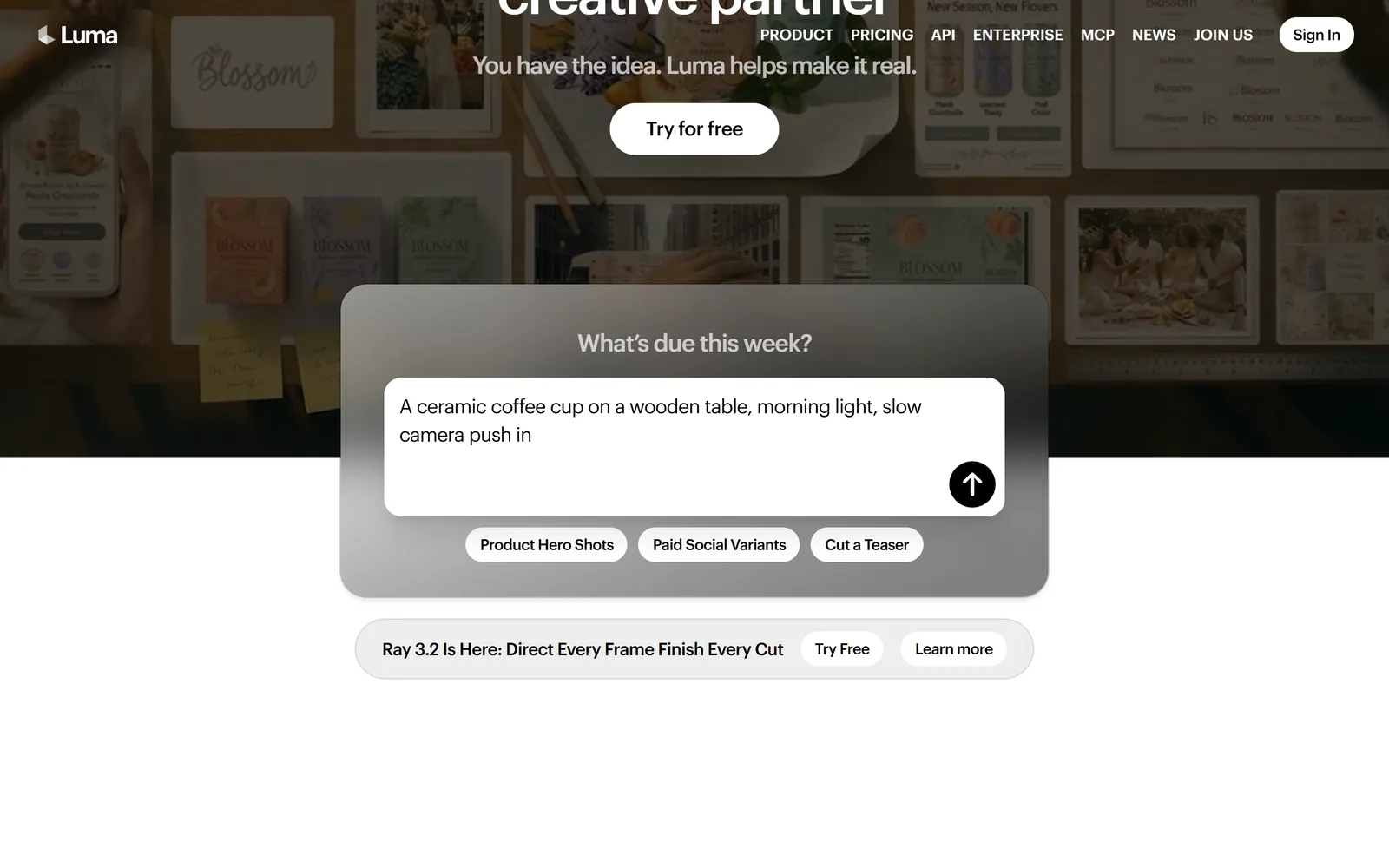
We typed "A ceramic coffee cup on a wooden table, morning light, slow camera push in" and pressed Enter. No video appeared. We landed on a sign-up screen instead. Under a Korean heading that translates to "Create with Luma," it had fields for last name, first name, and email, plus buttons to continue with Google or Apple. We didn't create an account, so we stopped there.
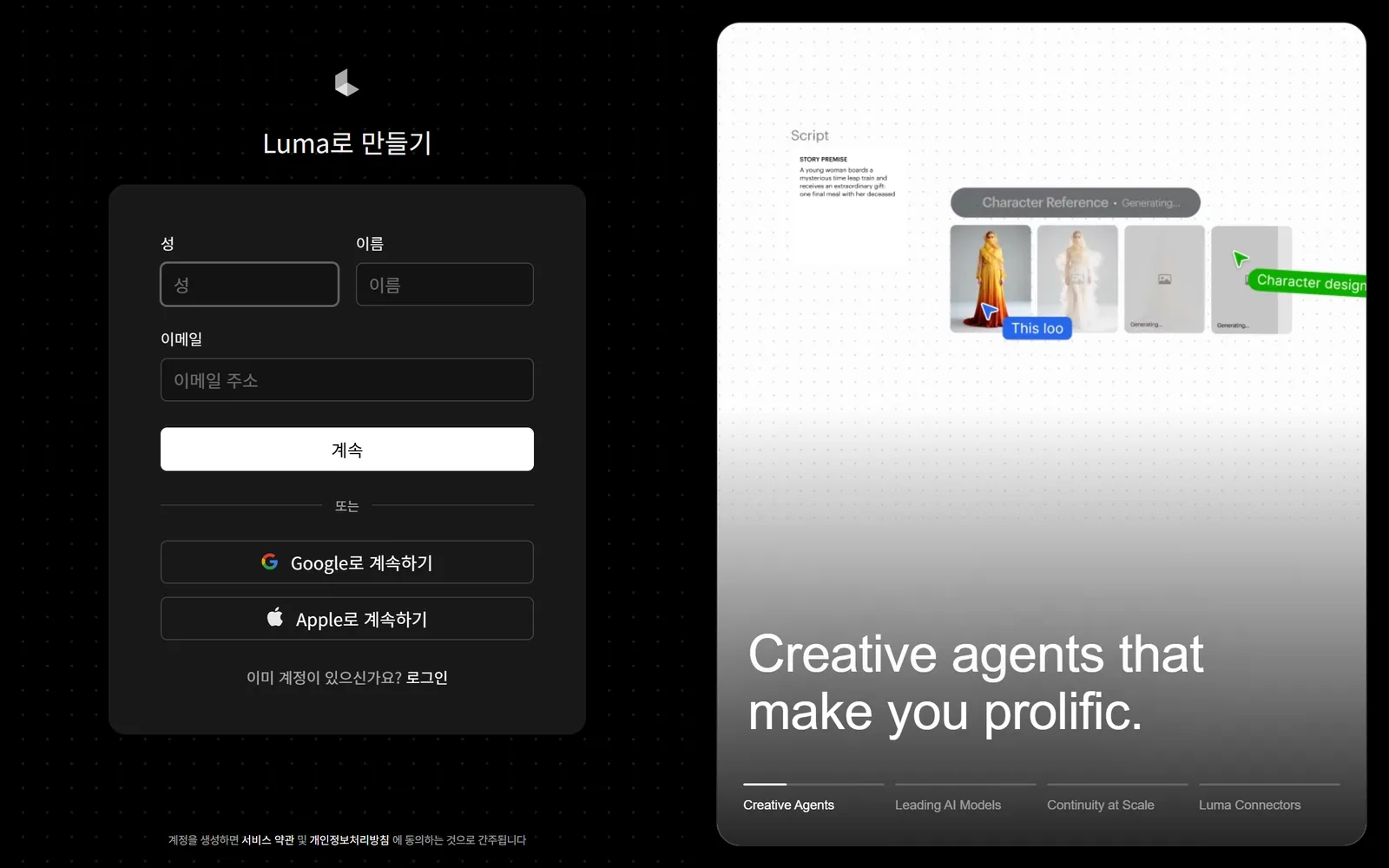
That means this post has no opinion on any video or image the service makes. What we actually did was open the home page, type a prompt, and reach the sign-up screen. Everything else comes from the official pricing page and info pages.
What it costs
These prices are from the official pricing page as of November 21, 2026, in U.S. dollars. The page opens with monthly billing switched on, and clicking "Yearly" shows the yearly prices. The page says you can save up to 20 percent by paying yearly.
| Plan | Monthly | Per month, billed yearly | Yearly total | Credits per month |
|---|---|---|---|---|
| Plus | $30 | $25 | $300 | 10,000 |
| Pro | $90 | $75 | $900 | 40,000 |
| Ultra | $300 | $250 | $3,000 | 150,000 |
Team and Enterprise show "Contact us" instead of a price. The pricing page has no card for a free plan. The official info page (llm-info) does include a line saying every plan comes with free trial credits.
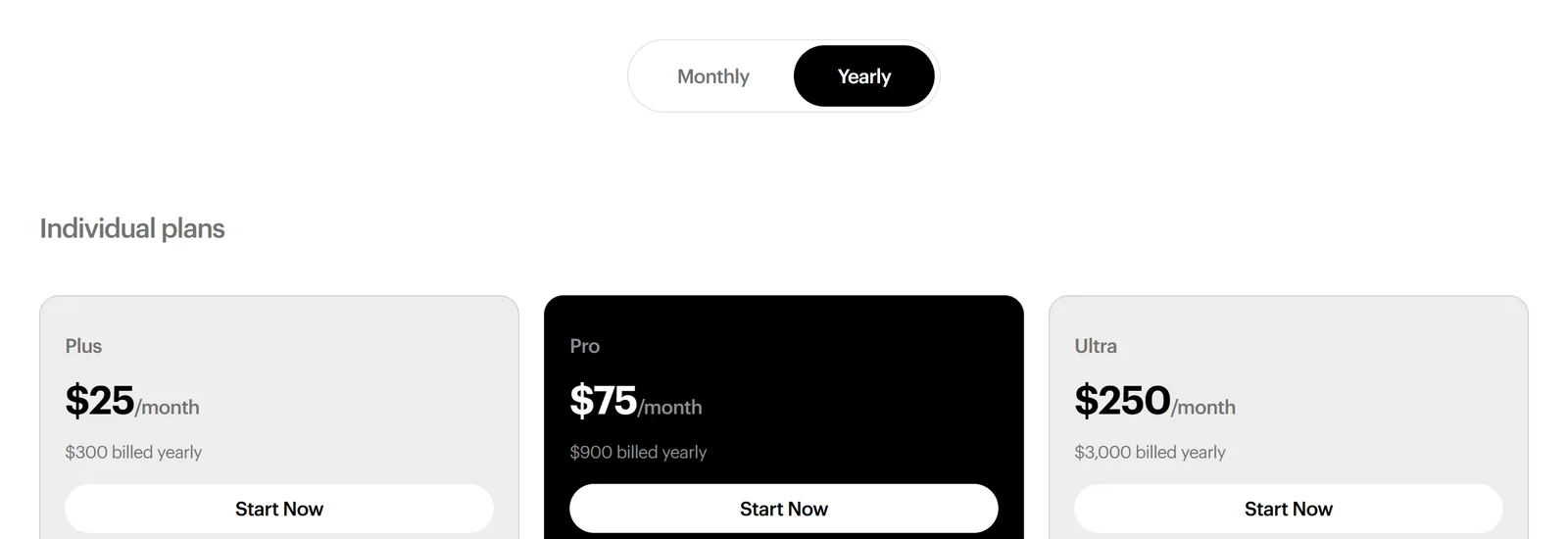
Plus includes Luma's models and other companies' image and video models, edit access for guest collaborators, and commercial use. Pro includes everything in Plus with 40,000 credits a month, and the page lists agent usage at 4x. Ultra includes everything in Pro with 150,000 credits a month and 15x agent usage. Team comes with member management, team sharing, usage analytics, shared credits, and SSO. Enterprise adds enterprise agreements, training, and custom fine-tuning.
What the credits buy
Prices are set in credits. Here are only the Ray3.2 rates for making video from text or an image, copied from the pricing page's table.
| Resolution | 5 seconds | 10 seconds |
|---|---|---|
| 360p | 20 | 60 |
| 540p | 50 | 150 |
| 720p | 100 | 300 |
| 1080p | 400 | 1,200 |
These are the standard (SDR) rates. The same table marks HDR at 2x, and HDR with EXR at 3x. A note above the table reads "No keyframes: plus 30 credits."
Other companies' models are priced per second. Veo 3.1 has sound at both 720p and 1080p and costs 140 credits per second. Kling 4.0 costs 53 per second at 720p and 79 at 1080p.
For images, UNI-1.1 costs 30 credits per image. Nano Banana Pro costs 23 at 1K, 35 at 2K, and 53 at 4K. For audio, ElevenLabs v4 speech costs 21 credits per 1,000 characters, music costs 98 credits per minute, and background removal costs 1 credit per image.
Here is how Plus's 10,000 monthly credits divide using the base rates in the table.
| What you make | Per month |
|---|---|
| Ray3.2 720p 5-second videos | 100 |
| Ray3.2 1080p 5-second videos | 25 |
| UNI-1.1 images | 333 |
Each row assumes you make only that one thing. Mix them and the counts drop. Where the 30-credit note applies to a video, you get fewer videos than shown.
The official billing policy says credits you don't use disappear when that billing period ends and don't roll over to the next month. Credits spent on a failed generation are returned automatically. If you run short, you can set an extra spending limit in account settings, and the FAQ says Luma stops once you hit that limit.
How far to go before paying
The pricing page has no free plan, so this post can't say how far free use gets you. The official info page says free trial credits come with every plan, but it doesn't say how many. So sign up, make one or two short videos with those credits, and see whether the cost of a single run fits how you'd use it. Then weigh Plus.
You can do the math before paying. Decide how many videos you'd make in a month, how long, and at what resolution, then multiply by the rates above to see whether Plus's 10,000 credits fall short. For Ray3.2, 1080p costs 4 times what 720p does at both 5 and 10 seconds.
The billing policy covers refunds too. A plan you haven't used may qualify for a full refund, the support team reviews the account, and refunds apply only to the most recent billing period. The same document says a request doesn't guarantee a refund. A yearly plan can only be switched to monthly billing.
How to use it well
At the start, get the scene and the wording right at a resolution that costs fewer credits. Ray3.2 at 360p for 5 seconds is 20 credits, and 1080p is 400. So you could rework your description several times at low resolution and make a single high-resolution version at the end. The official info page also mentions a Draft Mode that makes things quickly with fewer credits.
The agents FAQ recommends uploading product images, brand guidelines, and reference material before you send a request. When you give instructions in words, the app picks the model, resolution, and aspect ratio for you, and you can also choose them yourself in the toolbar. Luma says it's trained mostly on English and can take instructions in major languages as well, so check as you go whether a Korean description comes out well.
A single video clip runs 4 to 12 seconds depending on the model, and the FAQ says longer videos are made by coordinating several clips. For Ray3.2, the 10-second rate is 3 times the 5-second rate. At 720p that's 100 for one 5-second video and 300 for one 10-second video. Look at these rates together when you choose a length.
Prices are in dollars. Check the actual charge on the checkout screen.
Sources (checked November 21, 2026)
- Luma pricing: prices and features by plan, the credit table
- Luma info (llm-info): what the service is, models, free trial credits
- Luma Agents FAQ: how to use the agents app, video and audio length
- Luma billing policy: credit expiry, refunds for failed generations, refund rules