NotebookLM is now Gemini Notebook: free limits and prices
October 29, 2026
NotebookLM is Google's AI service for asking questions about material you supply. You put in your own documents, and the answers come from them. Starting in July 2026, the name changed to Gemini Notebook. Visiting notebooklm.google redirects to notebook.google, and the FAQ on the home page answers "Is Gemini Notebook the same product as NotebookLM?" with "Yes." Access to existing notebooks is unchanged, and Google says it will keep working as a standalone tool on web and mobile. The help center page title still says "NotebookLM Help."
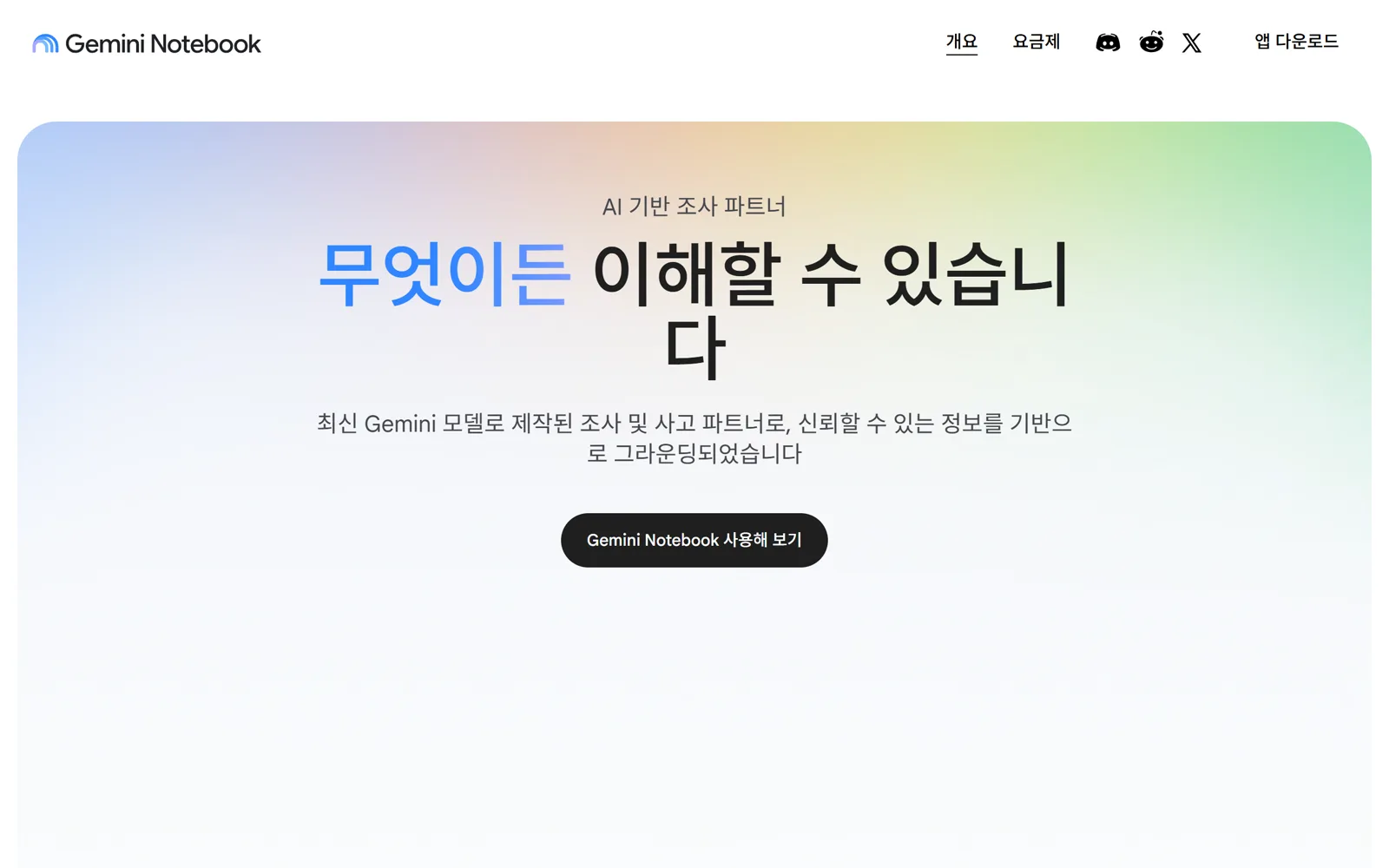
The English home page headline is "Understand anything," and the tagline reads "Your research and thinking partner, grounded in the information you trust, built with the latest Gemini models." According to the page, whatever you ask, the answer is always grounded in the information you provided.
What opens without logging in
The home page, the plan comparison page, and the help center articles all open without a login. The home page shows featured public notebooks, such as "Secrets of the Super Agers" (17 sources), "How To Build A Life, from The Atlantic" (46), "William Shakespeare: The Complete Works" (45), and "Earnings Reports For Top 50 Corporations" (267). Clicking one leads to a Google sign-in screen. A free account uses a Gmail address.
On privacy, Google says that for personal use your data is not used for training unless you choose to share feedback. It also says your data is not shared with third parties. There is currently no option to recover a deleted notebook.
What you can add, and the limits
The help center lists these source types: audio files (MP3, WAV, and others), pasted text, Google Docs, Google Slides (up to 100 slides), Google Sheets (limited to 100,000 tokens), images, Word (docx), txt, md, PDF, CSV, PowerPoint (pptx), notes, Play Books (text only), web URLs, ePub, public YouTube video URLs, and Gemini chats. Each source can hold up to 500,000 words (English basis), or up to 200MB for an uploaded file.
Web URLs and YouTube come with conditions.
- A web URL brings in text only. Images, embedded videos, and nested web pages are not imported, and paywalled pages are not supported.
- YouTube works only for public videos that have captions, and only the video's text transcript becomes the source. A video uploaded within the last 72 hours may fail to import.
- Sources imported from Google Drive sync automatically every few minutes.
The service can also find sources for you. Fast Research searches the web or Drive. Deep Research browses up to several hundred websites on its own and produces a multi-page report in a few minutes. Deep Research is limited to users 18 and older. The help page tells users not to upload documents they have no permission to use.
Usage is capped. Limits are compute-based and depend on things like the complexity of the prompt, the model and features you use, and the length of the chat. Whatever the plan, the allowance refreshes every 5 hours until you reach the weekly limit. People without a subscription get the standard limit, and subscribing raises it like this.
| Plan | Usage limit |
|---|---|
| No subscription | Standard |
| AI Plus | 2x standard |
| AI Pro | 4x standard |
| AI Ultra | 5x or 20x Pro |
When you hit a limit, Studio offers a "Generate later" option. It works on the web only, and it can take a few hours.
What it costs
These are the South Korea prices from the official pricing page as of October 29, 2026, in Korean won. Gemini Notebook is not sold on its own. It comes with the Google AI plans, and it can also be used for free.
| Plan | Per month | Storage |
|---|---|---|
| Google AI Plus | ₩7,500 | 400GB |
| Google AI Pro | ₩29,000 | 5TB |
| Google AI Ultra 5x | ₩119,000 | 20TB |
| Google AI Ultra 20x | ₩300,000 | 30TB |
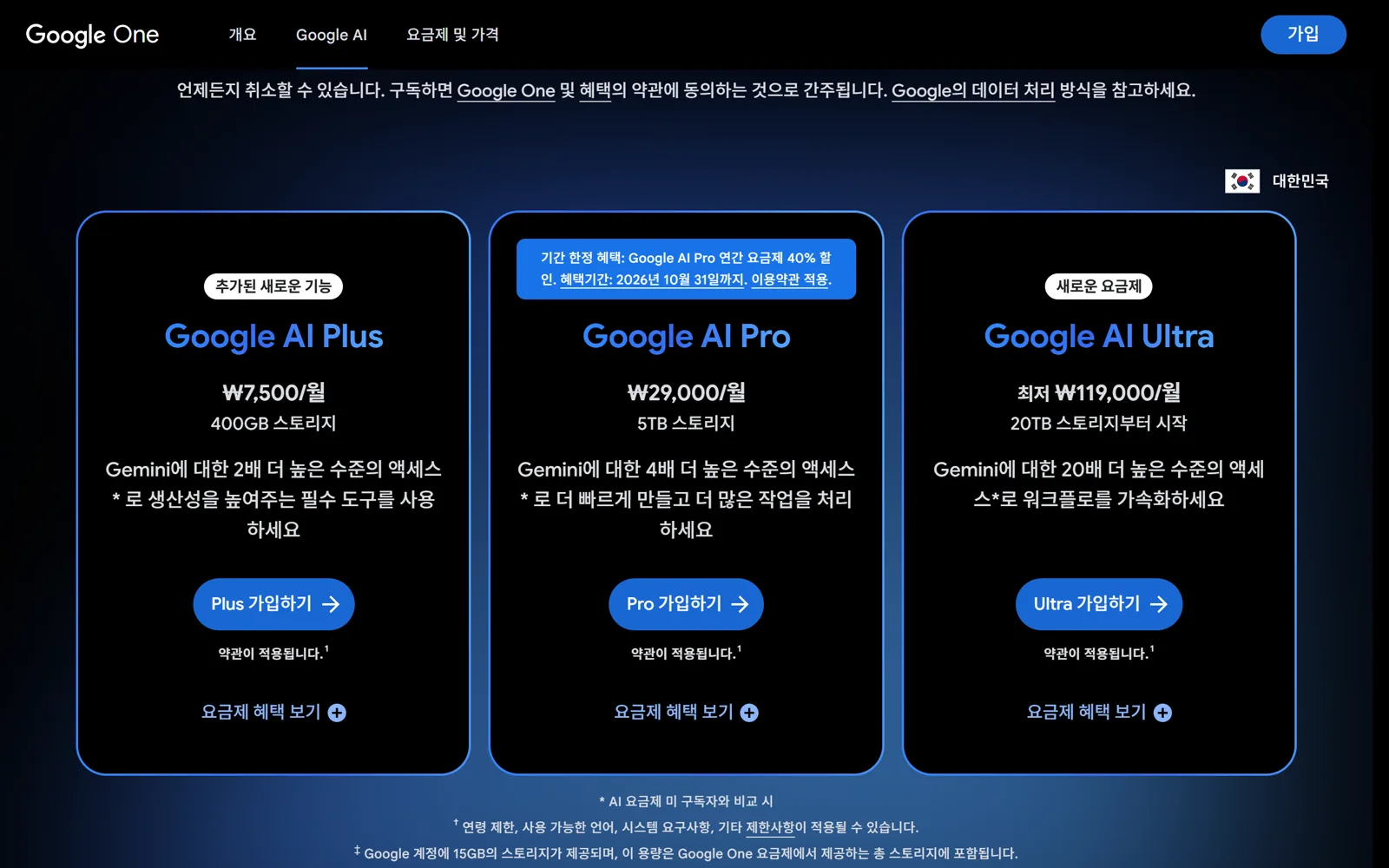
The Google AI Pro yearly plan is 40% off for eligible users, and the offer runs through October 31, 2026. You can cancel any time. The plans bundle other things, such as the Gemini app, Flow, Colab, and storage. Google AI Plus used to be called Google AI Premium. Google says only the name changed, and the benefits, including the Gemini app, Gemini Notebook, and 400GB of storage, are the same. Some AI benefits are for users 18 and older, and Plus, Pro, and Ultra are available only in certain regions.
The number of notebooks and sources differs by plan.
| Free | Plus | Pro | Ultra 20TB | Ultra 30TB | |
|---|---|---|---|---|---|
| Notebooks | 100 | 200 | 500 | 500 | 500 |
| Sources per notebook | 50 | 100 | 300 | 500 | 600 |
| New features | Standard | Early | Priority | Priority | Priority |
| Watermark removal | No | No | Yes | Yes | Yes |
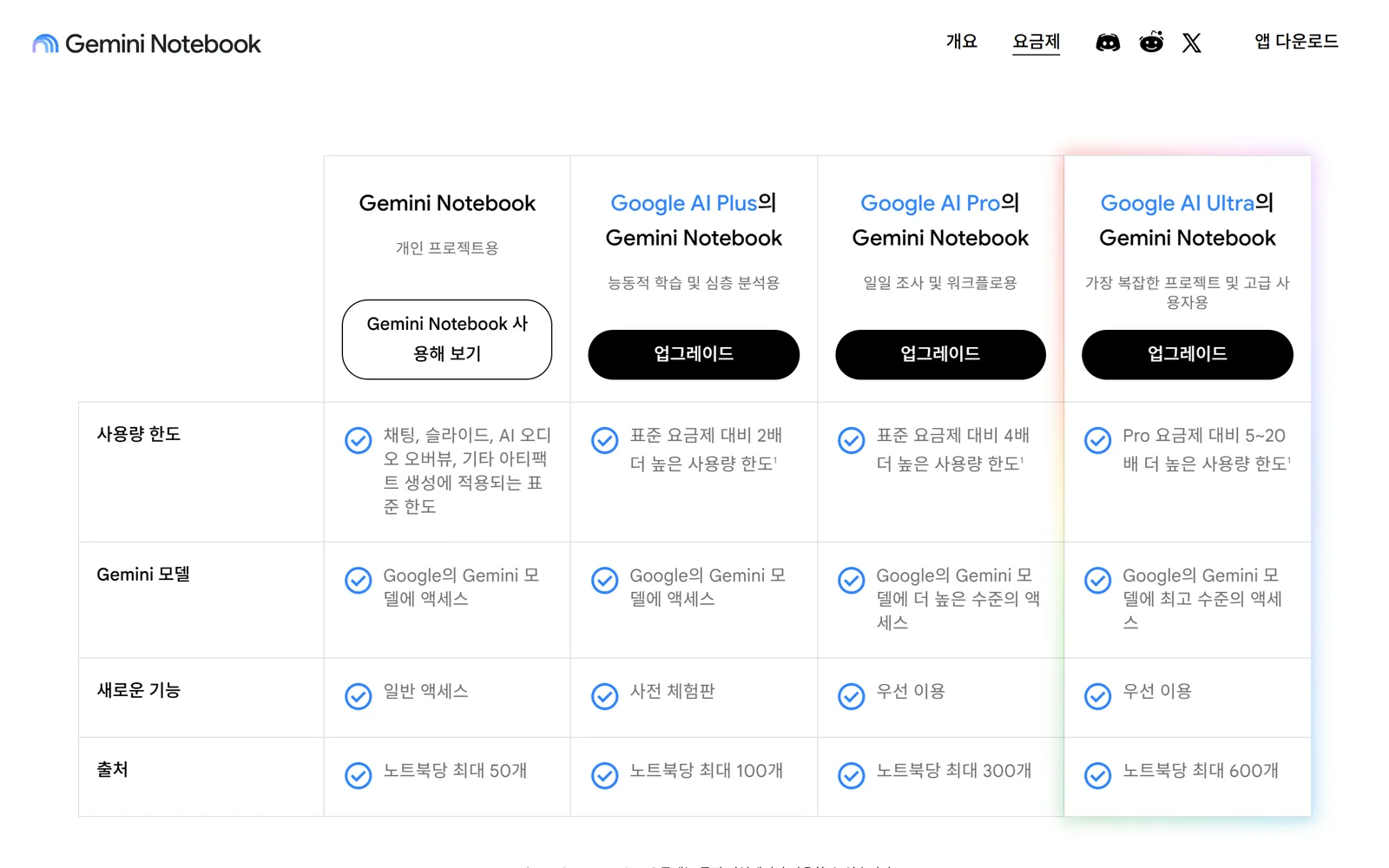
The usage limit in the Free column is the standard limit, which the plans page words as "Standard limits for chat and generation of Slides, Audio Overviews and other artifacts." The notebook count is per user, and sharing a notebook does not change a collaborator's source limit. Paid users get advanced sharing, and custom chat and analytics are open to everyone.
One note for readers in Korea. The page says that for people living in South Korea, Vietnam, and India, a visible watermark is applied automatically. The asterisk on the "Yes" cells in the watermark-removal row, from Pro up, points to that sentence.
How far to go before paying
Free means 100 notebooks, 50 sources per notebook, and the standard limit. For putting a few documents into one topic, starting free is enough. Moving up a plan changes four things in the table: the notebook and source counts, the usage limit, the order in which you get new features, and watermark removal. Paying starts to make sense when you hit the limit often, or when one notebook needs more than 50 sources. The lowest tier, Google AI Plus, is ₩7,500 a month with twice the standard limit and 100 sources per notebook.
Getting more out of it
Naming a source in the question narrows the scope. The help page's own example is a question like "What are the key points about dog training in the 'Intro to Dog Training' document?"
A web URL brings in text only, so if the images matter, add them as image files. A YouTube video uploaded within 72 hours may not import, so wait until 72 hours have passed.
A deleted notebook can't be recovered, so check once more before deleting.
Prices and limits are as of the day this was written, and the official pages say limits can change, so check the pricing page again before paying.
Sources (checked October 29, 2026)
- Gemini Notebook home page: redirected from notebooklm.google, rename notice
- Gemini Notebook plans: notebook and source counts by plan
- Add or search for new sources in a notebook: supported sources and limits
- Usage limits: 5-hour refresh, multiples by plan
- Learn about plans: includes the watermark notice
- Google AI plans: monthly prices and storage