Otter.ai pricing and which languages it transcribes
November 23, 2026
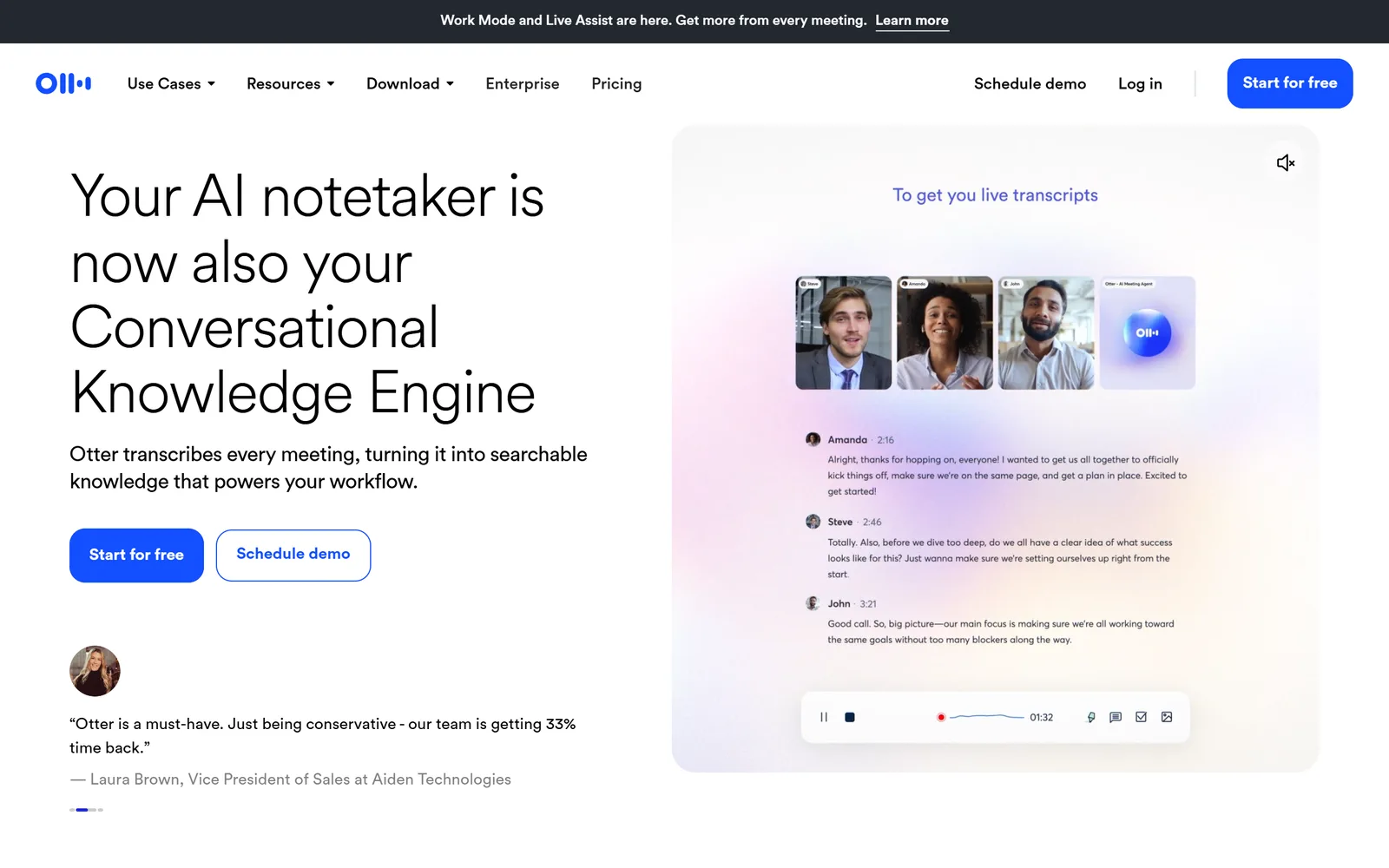
Otter.ai is an AI service that transcribes what's said in a meeting, then boils it down to a summary and a to-do list. Its official home page calls this a "Conversational Knowledge Engine." Each meeting's transcript piles up as searchable knowledge, and when you ask the AI a question, it answers by looking across your meetings and the apps you've connected.
The home page describes two ways to capture a meeting. You can send Otter's AI notetaker into a Zoom, Teams, or Google Meet call, or you can record on your own device. For the second route, the desktop app records conversations on Mac and Windows without putting a bot in the meeting.
What we tried without signing up
The otter.ai home page has several "Start for free" buttons. The page walks through the flow from transcript to summary to action items, with pictures alongside.
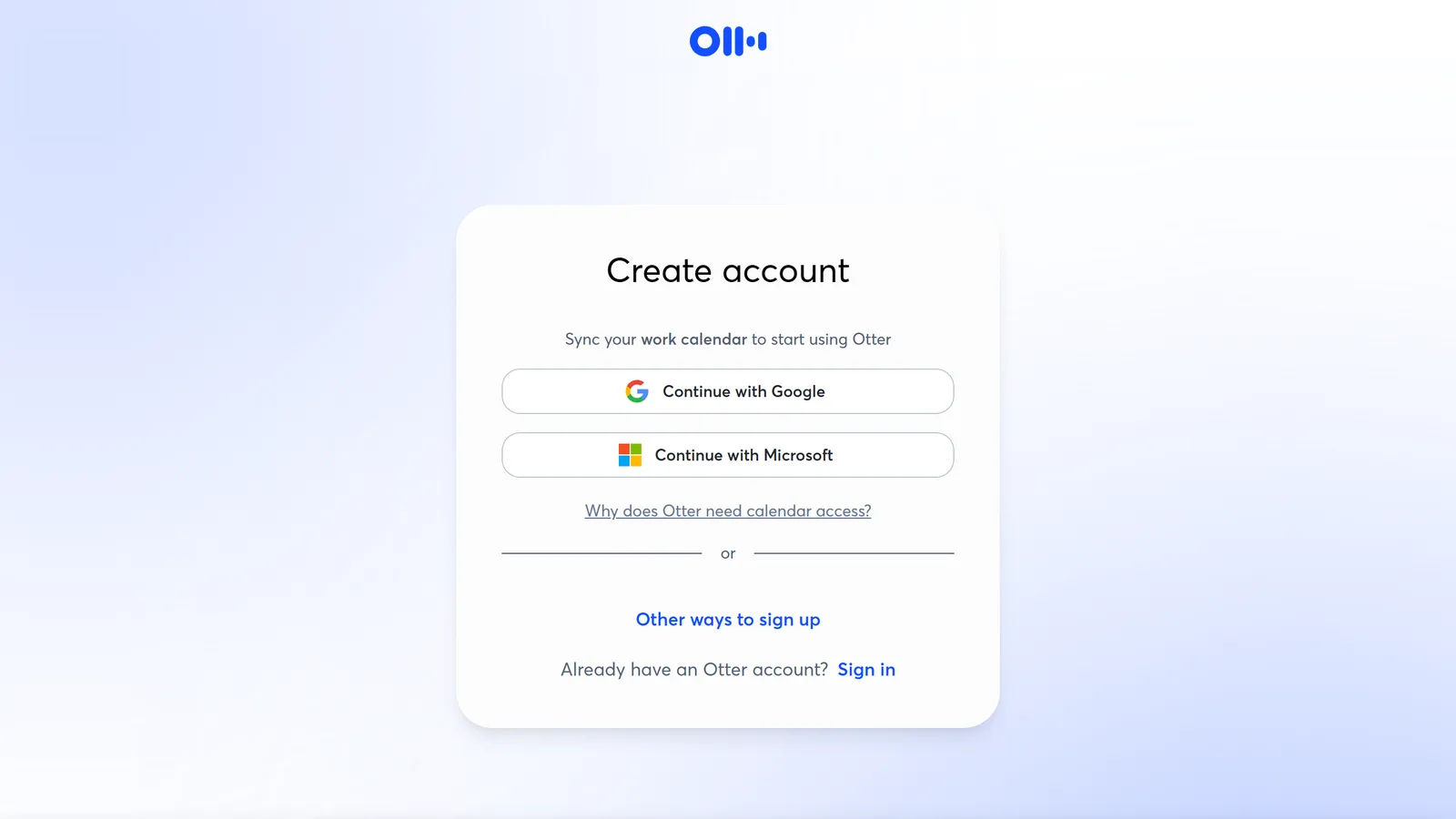
Clicking a button didn't open a transcription screen. It opened a sign-up screen. Under the heading "Create account," a line reads "Sync your work calendar to start using Otter," with buttons for "Continue with Google" and "Continue with Microsoft." Below those sits a link: "Why does Otter need calendar access?" We didn't create an account, so we stopped there.
That means this post has no opinion on how good the transcripts or summaries are. We opened the home page and the sign-up screen. Everything else comes from the official home page and pricing page.
What it costs
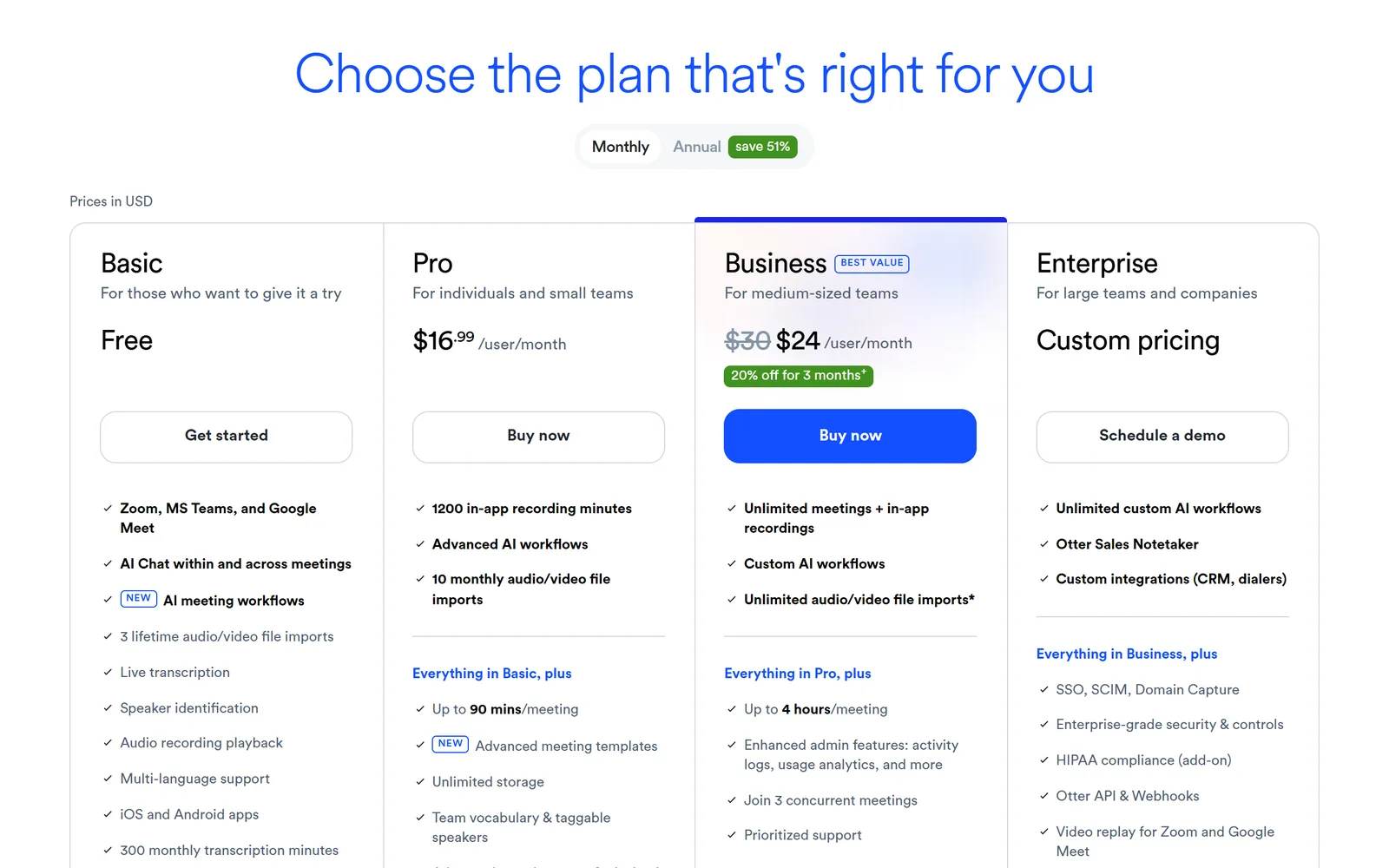
These prices are from the official pricing page as of November 23, 2026, in U.S. dollars, per user per month. The page opens with yearly billing switched on, and clicking "Monthly" shows the monthly prices.
| Plan | Monthly billing | Per month, billed yearly |
|---|---|---|
| Basic | Free | Free |
| Pro | $16.99 | $8.33 |
| Business | $30 | $19.99 |
| Enterprise | Custom pricing | Custom pricing |
The cards say paying yearly saves 51 percent on Pro and 33 percent on Business. They don't show a yearly total. Where a price would be, Enterprise shows "Custom pricing" and a "Schedule a demo" button.
Business on monthly billing carries a first-time offer: first-time subscribers get 20 percent off for three months, which comes to $24. The $30 in the table is the regular price.
The FAQ also lists a student and teacher discount. An individual with a school (.edu) email gets 20 percent off Pro: $13.59 on monthly billing, or $6.67 a month on yearly billing ($79.99 billed annually).
You can pay on the Otter website with a credit or debit card, or through in-app purchase on the Apple App Store or Google Play. PayPal isn't supported yet.
Each card has a one-line pitch: "For those who want to give it a try" on Basic, "For individuals and small teams" on Pro, "For medium-sized teams" on Business, and "For large teams and companies" on Enterprise.
What each plan limits
Transcription time is what separates the plans. Here are Basic, Pro, and Business from the comparison table.
| Item | Basic | Pro | Business |
|---|---|---|---|
| Meeting and recording transcription, per month | 300 min | 1,200 min | Unlimited |
| Imported file transcription, per month | 300 min | 1,200 min | 6,000 min |
| Maximum per conversation | 30 min | 90 min | 4 hours |
| Meetings joined at once | 1 | 2 | 3 |
| Conversation history | Latest 25 | Unlimited | Unlimited |
| AI Chat questions, per month | 20 | 50 | 200 |
Minute limits are per user, and the page says unused minutes don't carry over to the next month. A footnote on Basic's 300 and Pro's 1,200 says all transcription types share one pool, so meetings and imported files count together toward that number. Exports on Basic are mp3 and txt. Pro adds pdf, docx, and srt.
Which languages it transcribes
The pricing page lists six languages for AI transcription: English, Spanish, French, German, Japanese, and Chinese. Korean isn't on the list. The Basic card does have a "Multi-language support" line, but these six are the only languages the page names.
How far to go before paying
For what you get free, use the Basic limits on the pricing page: 300 minutes a month, up to 30 minutes per conversation. Ten 30-minute conversations use all 300.
So transcribe one or two short meetings on Basic first, and look at Pro once you hit a limit. Pro gives you 1,200 minutes a month and up to 90 minutes per conversation. If your meetings run past 90 minutes, or you pass 1,200 minutes in a month, Business offers 4 hours per conversation and unlimited meeting and recording transcription.
How to use it well
If you plan to use it for meetings in Korean, check that Korean actually gets transcribed before you pay, since it's missing from the pricing page's language list. If your meetings are in a language on the list, such as English or Japanese, you can skip that check.
If a bot joining the call would be awkward, look into the desktop app, which records without one.
Minutes don't roll over when the month changes, so work out how many you use in a month and pick a plan from that. Prices are in dollars. Check the actual charge on the checkout screen.
Sources (checked November 23, 2026)
- Otter.ai: home page and sign-up screen
- Otter.ai pricing: prices and features by plan, comparison table, transcription languages, FAQ