Perplexity without an account, and what Pro and Max cost
October 27, 2026
Perplexity is an AI service you use like a search box. You ask a question, it writes an answer, and it puts the sites it drew on at the end of the sentences. Instead of a list of links, you get the answer first with the sources beside it. The official pricing page says every answer includes citations from reliable sources.
Asking without signing up
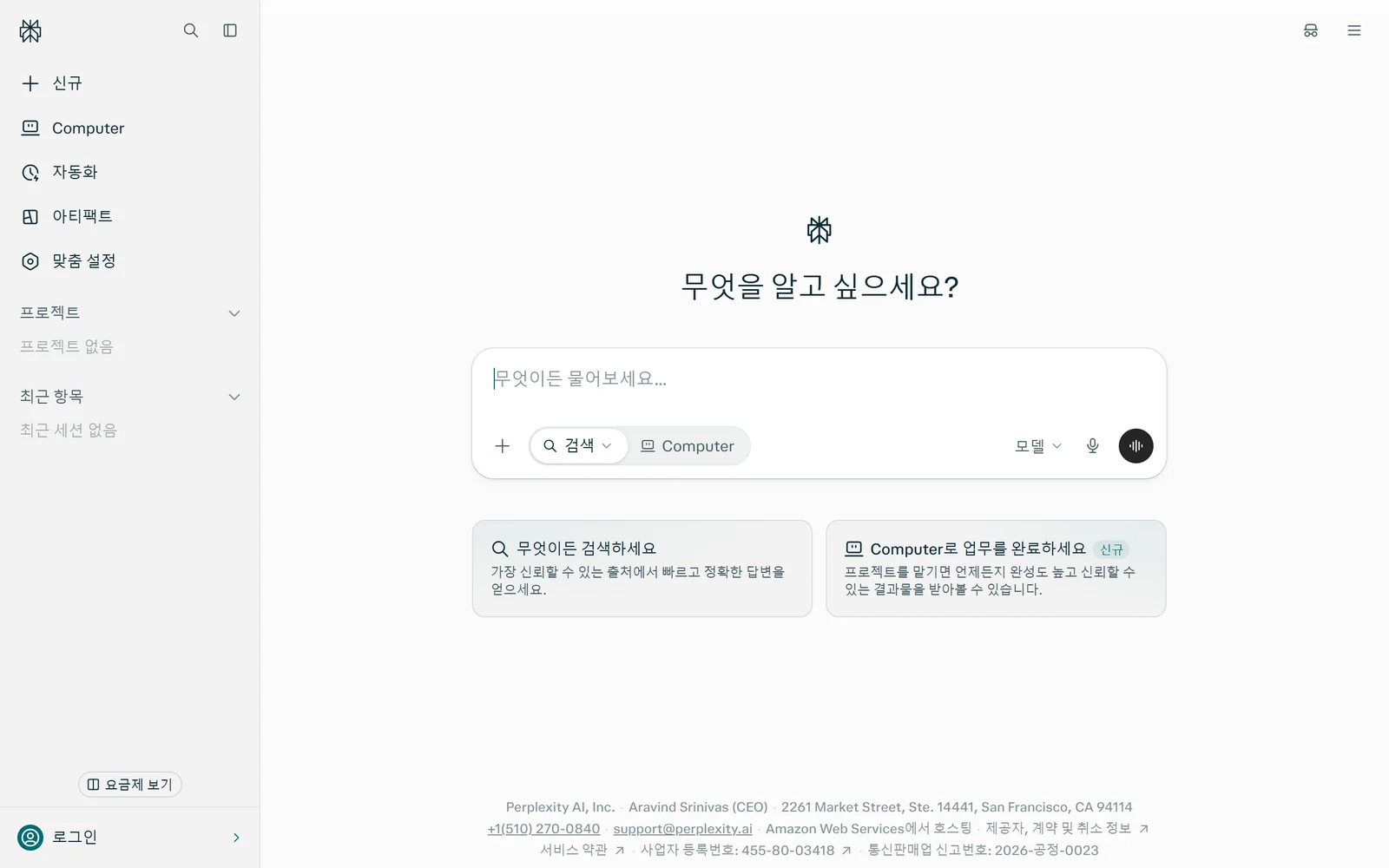
Go to perplexity.ai and the question box is there, no login. The first screen says "What do you want to know?" (shown in Korean), with a single box in the middle. The Computer button under the box is described on the site as generating "custom apps, tools, documents, and more."
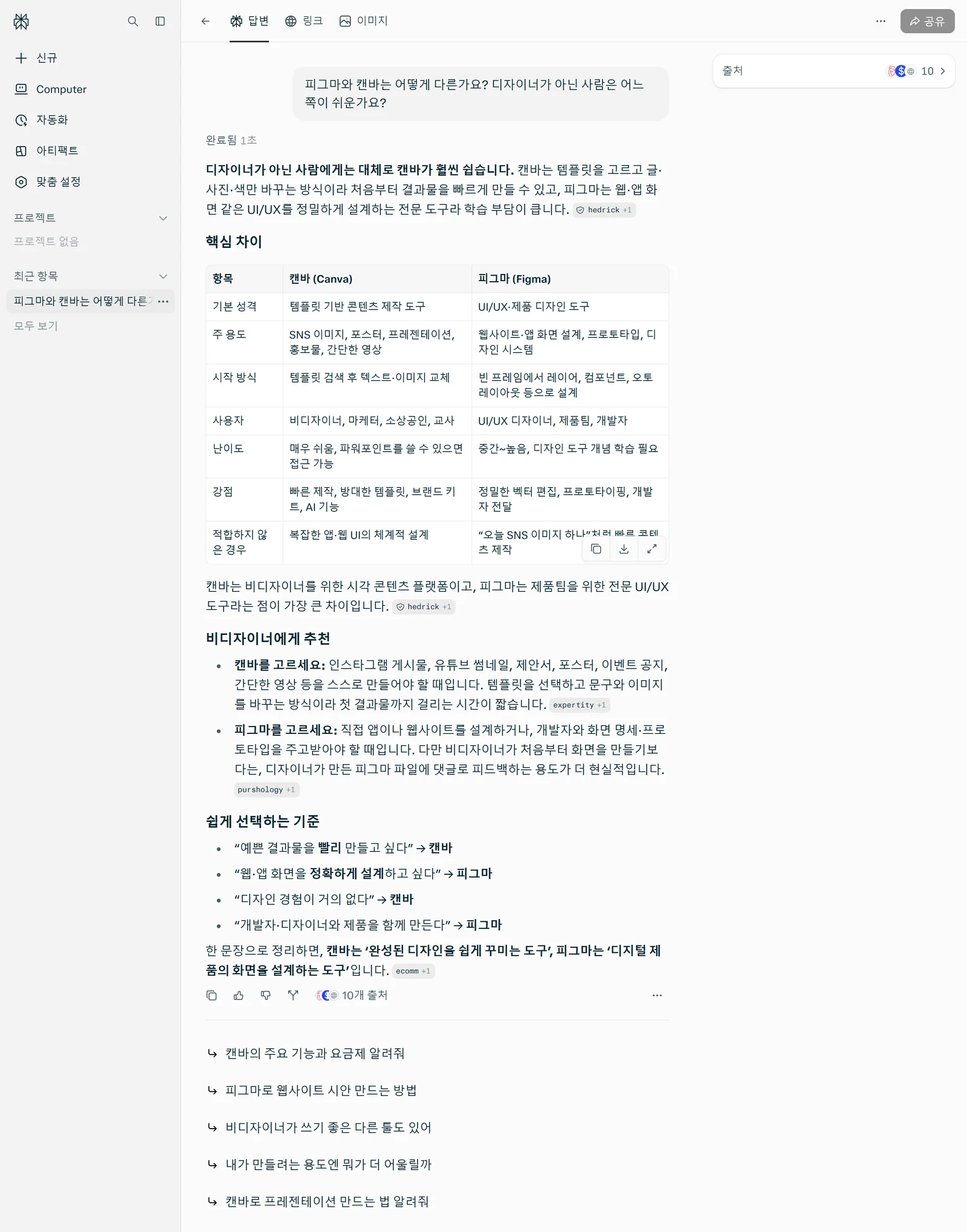
The question was: "What's the difference between Figma and Canva? Which one is easier for someone who isn't a designer?" A "Completed in 1 second" label appeared above the answer, and the first sentence said Canva is generally much easier for non-designers.
Below that sits a "Key differences" table with seven rows: basic nature, main use, how you start, users, difficulty, strengths, and who it doesn't suit, with Canva and Figma side by side. The difficulty row reads "very easy, accessible if you can use PowerPoint" for Canva and "medium to high, requires learning design-tool concepts" for Figma. Under the answer, a four-line "How to choose" list follows:
- "I want a good-looking result fast": Canva
- "I want to design web or app screens precisely": Figma
- "I have almost no design experience": Canva
- "I'm building a product with developers and designers": Figma
Small source tags like "hedrick +1" and "ecomm +1" sit at the ends of sentences. Five follow-up questions appeared under the answer: the main features and pricing of Canva, how to make a website mockup in Figma, other tools that suit non-designers, which one fits the use I have in mind, and how to make a presentation in Canva.
The same question, four times
The same question went in four times on the same day. All four answers landed on Canva being easier. The wording and structure changed every time, though. One answer opened with "Figma and Canva are both design tools, but" and another with "For non-designers, Canva is generally easier." One table had seven rows including "Users" and "Who it doesn't suit." Another dropped both and added a single "Who it fits" row, for six. The how-to-choose part was a four-line list once and a "One-line rule" another time.
What it costs
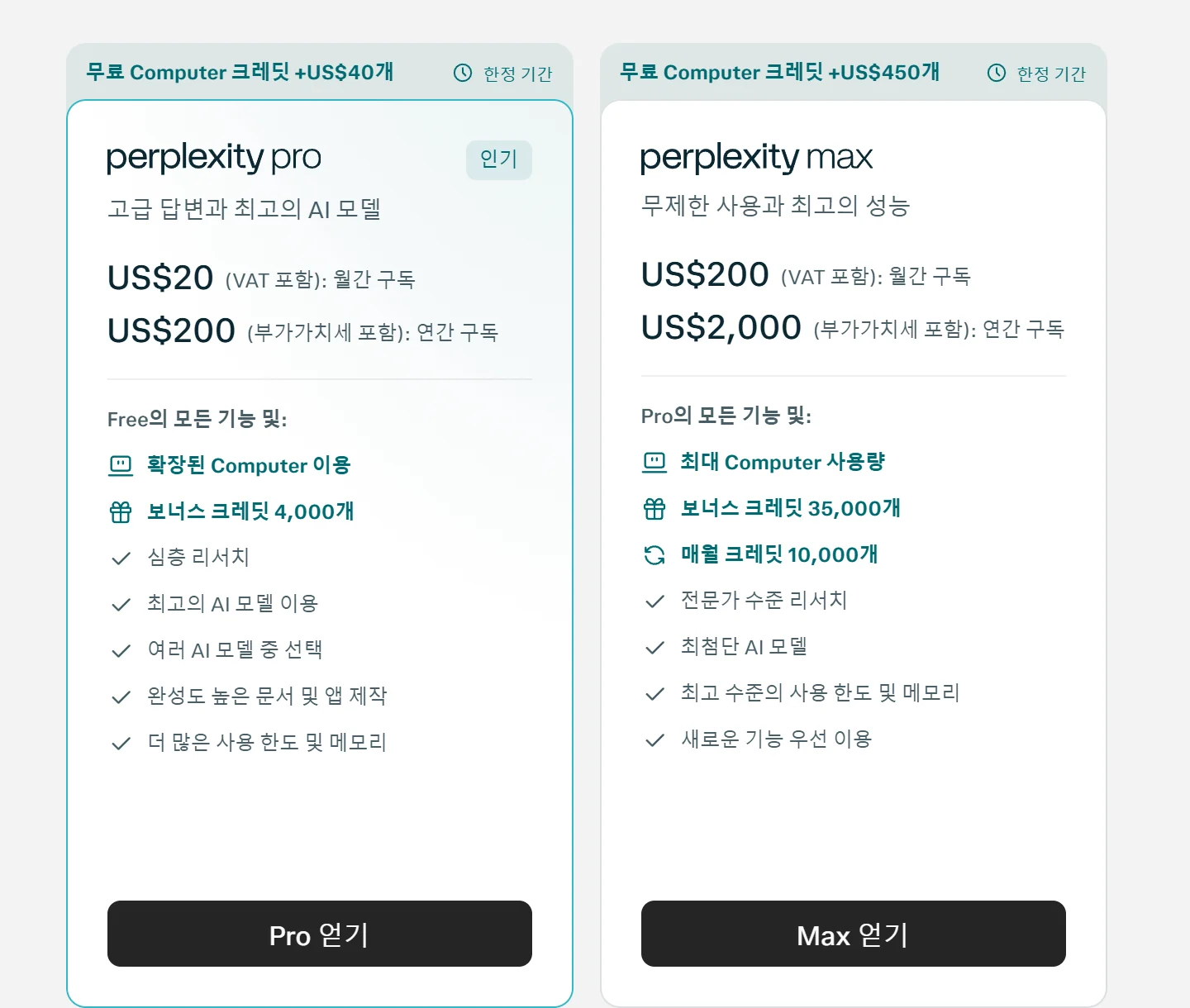
These prices come from the official pricing page as shown in Korean on October 27, 2026. There is a Free plan and two paid plans, Pro and Max. The prices on that page include VAT, as shown to a visitor in Korea.
| Plan | Monthly | Yearly | Per month, paid yearly |
|---|---|---|---|
| Free | Free | Free | Free |
| Pro | $20 | $200 | about $16.7 |
| Max | $200 | $2,000 | about $166.7 |
The last column is the yearly price divided by 12.
Pro adds deep research, a choice of several AI models, polished documents and app building, and higher usage limits and memory on top of everything in Free. Max adds expert-level research, early access to new features, and the highest usage limits and memory on top of everything in Pro, at ten times Pro's price. The pricing page also lists extra credits on each plan.
The same page lists the models: GPT-6.1 Sol (OpenAI), Gemini 3.8 Flash (Google), Claude Sonnet 5.5 (Anthropic), Kimi K3 (Moonshot AI), GLM 5.3 (Z.ai), and Grok 4.7 (xAI). Perplexity says it coordinates the best model for each task. The page also says the plans are for personal use only.
How far to go before paying
No-account use covered questions, answers with sources, a comparison table, and suggested follow-ups. For comparing two things, as in this test, that was enough. The pricing card lists deep research, a choice of AI models, document and app building, and higher usage limits and memory as Pro features. Needing any of those is the point where paying starts to make sense.
Getting more out of it
Look at the source tags on the answer to see which sites a claim came from. For anything important, check it on the site itself.
The wording and table layout changed between tries. Matching conclusions don't mean the details can be trusted, so check anything about money or health against the sources.
Sources (checked October 27, 2026)
- Perplexity: home screen and the answer screen
- Perplexity pricing: Free, Pro, and Max prices and features, plus the model list