Uploading the file took five minutes. The rest took half a day
August 19, 2026
* This is about Google Play. I haven't tried the Apple App Store.
Five minutes of uploading, half a day of everything else
When the app was done I assumed one file was all that stood between me and the store.
It was not. I put four apps up in one week, and uploading the files took five minutes. The rest took half a day.
An earlier post covered the paperwork before you get this far, which in Korea meant a business registration and a D-U-N-S number. This one starts after that, and covers what you actually click inside Play Console, and where I got stuck.
Google renames things in there, so everything below is what the screens said in August 2026, when I registered mine.
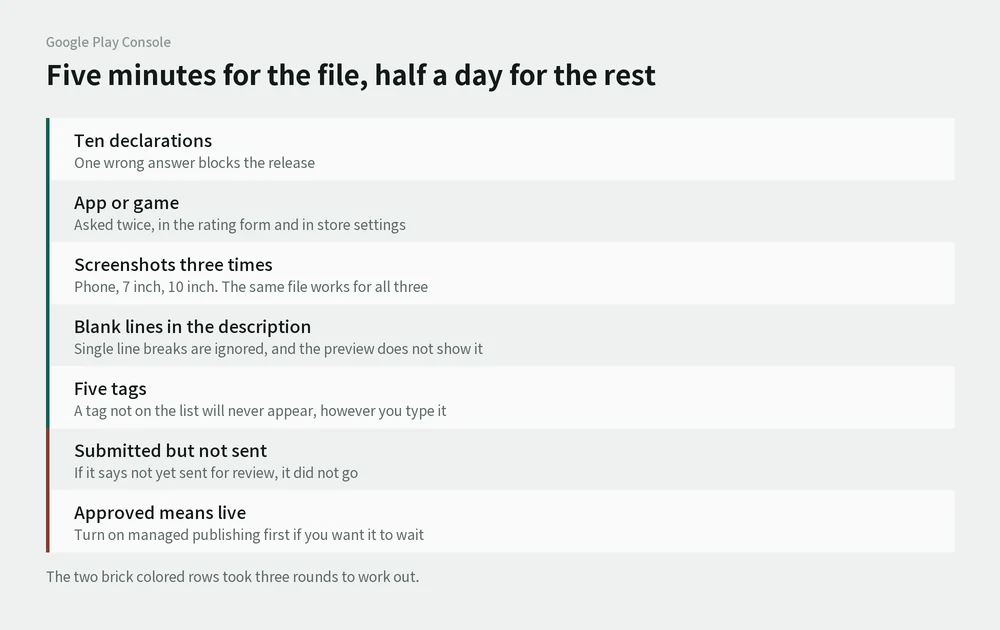
There are about ten declarations waiting
Once your app exists, the console hands you a list of things to declare. It lives under App content, and it covers your privacy policy, app access, ads, content ratings, target audience, data safety, advertising ID, government apps, financial features and health apps.
Read them and most turn out to have nothing to do with your app, so you answer no and move on. But one wrong answer and your release stops.
The advertising ID question is the one that catches people. Say yes when your app carries no ads, and the next time you push a version Google blocks it because the app does not actually use the ID you declared. Say no when you do have ads, and it blocks you too.
Play asks "app or game" in two separate places
You pick it once in the content ratings questionnaire and once under Store settings. The two do not talk to each other.
Beongaesem, the arithmetic app from the earlier post, was set to game in the ratings form and left as an app in the settings. Leave it like that and it never reaches Google Play Games on PC. The console told me on the spot, which is the only reason I noticed.
The clicking was not the slow part. Deciding was. Google's definition of a game is an app where entertainment is the point. So my allowance tracker, my money-learning app and my clock-reading app all went up as apps, and only the arithmetic one went up as a game, because you race a timer.
A few days later I moved that one back to app. Look at Duolingo: global leaderboards, points, the whole thing, and it's an app. If a countdown were enough to make something a game, Duolingo would have been reclassified long before my app was.
Here's the line I use now. If solving the problem is the thing you're learning, it's an app. If the problem exists to move a game forward, it's a game.
You upload your screenshots three times
There is a slot for phones, one for 7-inch tablets and one for 10-inch tablets, and all three have to be filled.
You do not have to design tablet versions. The same file goes in all three. Not knowing that, I spent a while wondering how on earth I was supposed to photograph a tablet screen I don't own.
My description came out as one solid block
I wrote the full description in tidy separate lines. On the store it arrived as a single lump of text.
Play ignores single line breaks and only treats a blank line as a paragraph. Put an empty line between your lines and it looks the way you wrote it.
What makes this one annoying is that the console preview will not show you this. It applies no formatting at all, just spills the raw text down the page, so you do not find out until the listing is live and you're staring at a wall of words.
You can only use tags Google already made
You pick them from a list or search for them. A tag that is not on the list will never appear, no matter how you type it.
Five is the maximum and I'd leave gaps rather than force it. Tags feed the "similar apps" shelves more than search, so one broad tag can park you next to something you have nothing to do with.
I hit submit and nothing went to review
I pressed the button and the app did not go into review. Three times.
The console gathers up everything you changed and sends it as one batch. If your new production release is not in that batch, the settings and the store listing get reviewed and the app itself stays put.
The worst part is that the screen looks completely normal. It looks submitted, so you sit there waiting.
There is a way to check. Look at the status line next to the app in your list. If it still says your changes have not been sent for review, they have not gone anywhere. One line, right after you submit.
It took me three rounds of this to learn to look at it.
Once it's approved, it's out
Approval publishes it. If you do not want that, you have to switch on Managed publishing before you submit.
With it on, an approved app parks itself under Ready to publish instead. You press publish when you're actually ready. That is what you want if you are waiting on a certificate or lining a release up with an announcement.
You can turn it on and off whenever you like, even mid-review. The catch is that anything approved while it is off goes straight out. If the date matters at all, turn it on before you submit.
So, four apps later
The first one took half a day. The fourth took about thirty minutes.
It's still not easy, but I'm happy enough that it keeps getting faster. It's the kind of thing that sorts itself out once you have done it enough times, so I'm aiming for one a week.